Digital links
If you keep your records in one place and send from another, the two must be digitally linked: a file exported from one and imported into the other counts. Retyping figures, or copying and pasting them, does not.

Stoneledger Bridge
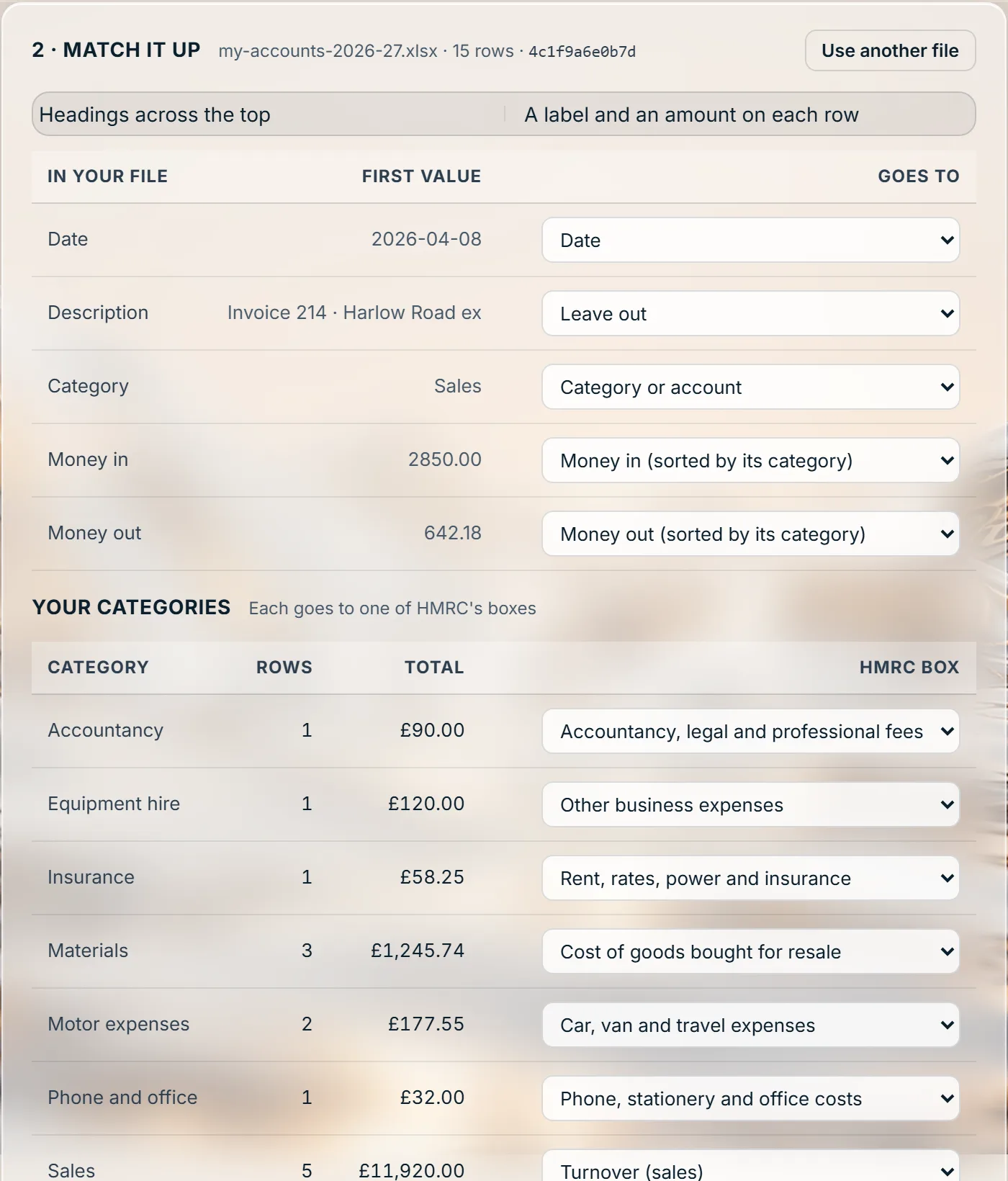
Making Tax Digital does not make you move your books. Bridging software, HMRC’s own name for it, is the digital link between the records you already keep and HMRC: a spreadsheet, or a report exported from the package you use. Stoneledger Bridge is built to send your Making Tax Digital for Income Tax quarterly updates, your VAT returns and your CIS300 monthly returns from them.
What HMRC asks
If you keep your records in one place and send from another, the two must be digitally linked: a file exported from one and imported into the other counts. Retyping figures, or copying and pasting them, does not.
A spreadsheet can be where you keep your digital records, as long as what goes to HMRC comes from it through the link, and corrections are made there first.
A quarterly update is the year so far, as totals for each category. HMRC never receives the individual records behind it.
HMRC explains digital links in its guide to creating digital records.
How Stoneledger Bridge works
What it costs
Pay for the time, not the filing
One business, as many submissions as it needs. No subscription you have to remember to stop. The full product - the books, the tax and every submission - is £8 a month or £50 a year.
Stoneledger Bridge takes the file your spreadsheet or package already makes, checks it back to the rows it came from, and sends it once HMRC grants Stoneledger live access.