CIS taken off a subcontractor
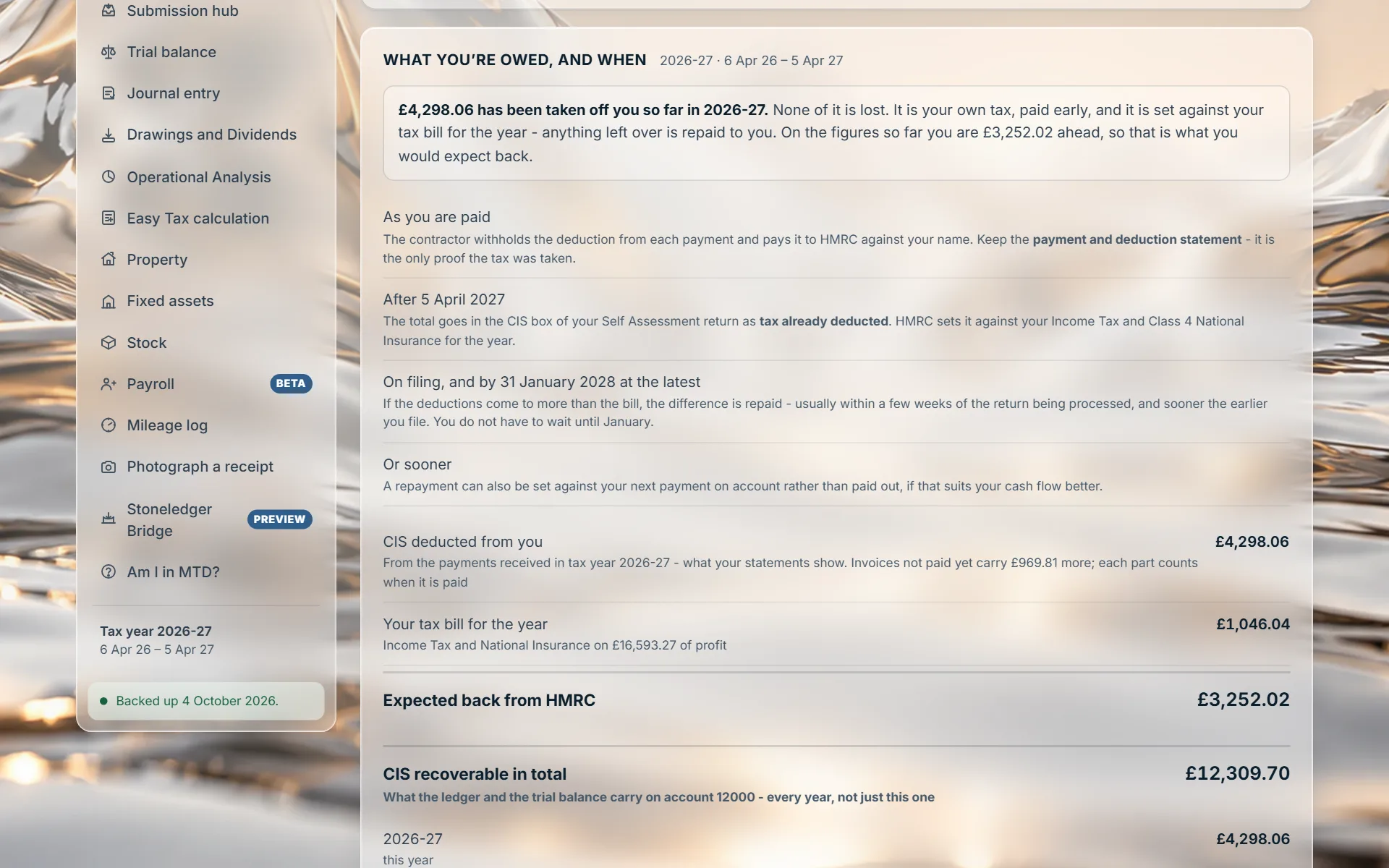
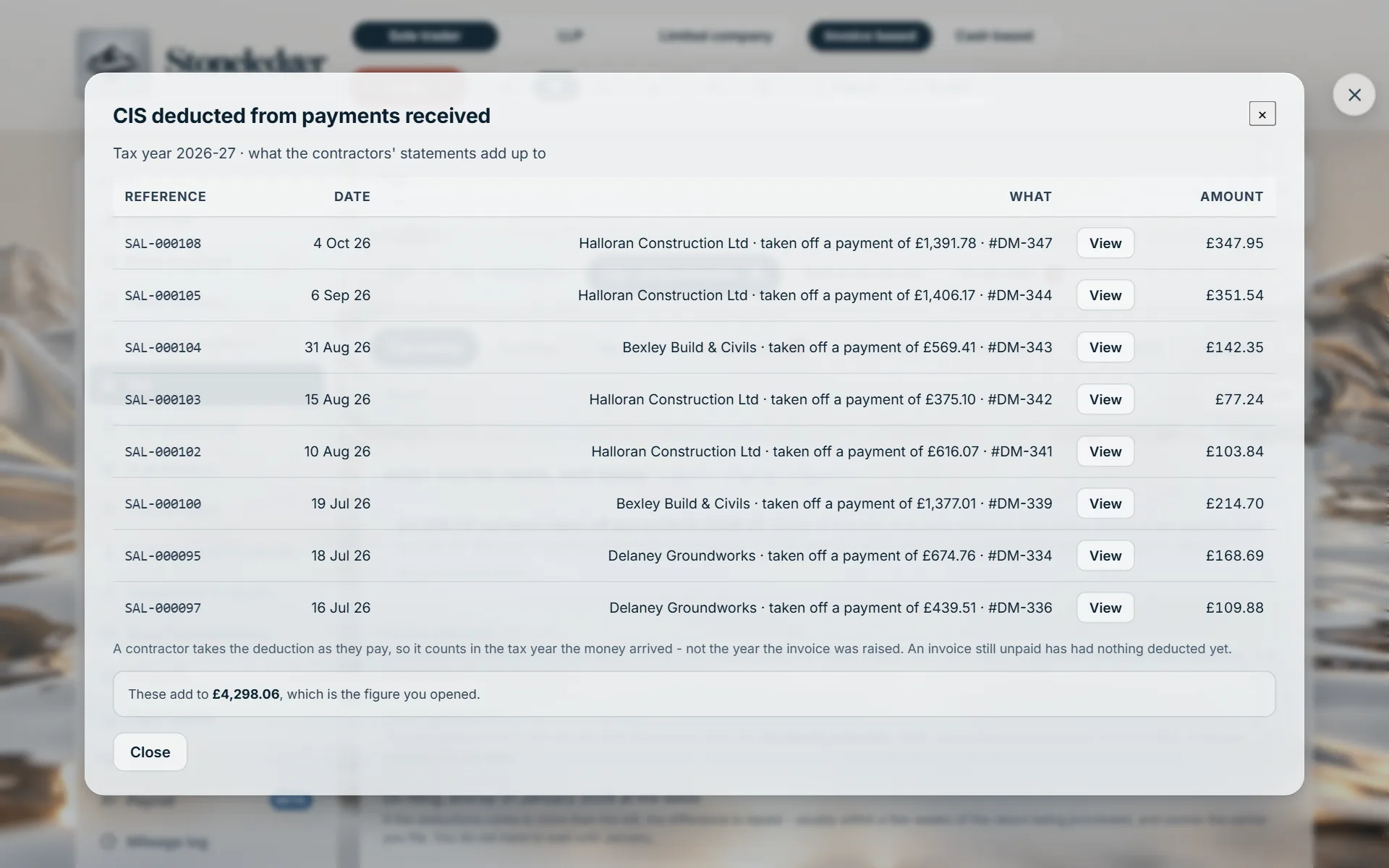
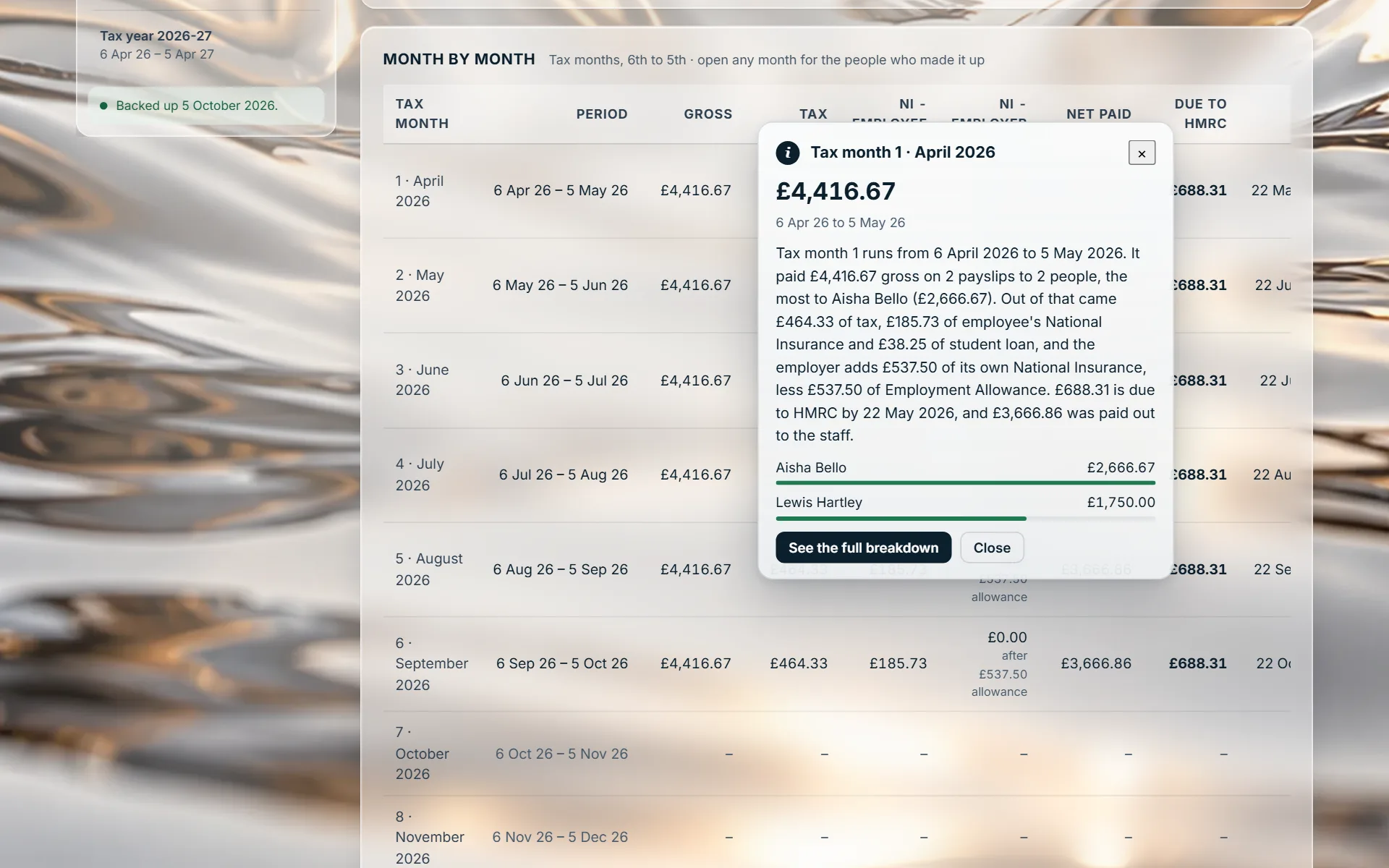
The CIS deducted this tax year opens onto every payment it came off, with the contractor, the date and the invoice. It counts by the date the money arrived, as HMRC does.

For accountants and bookkeepers
You do not have to take Stoneledger’s word for a number. Stoneledger shows you where it came from. Click it.
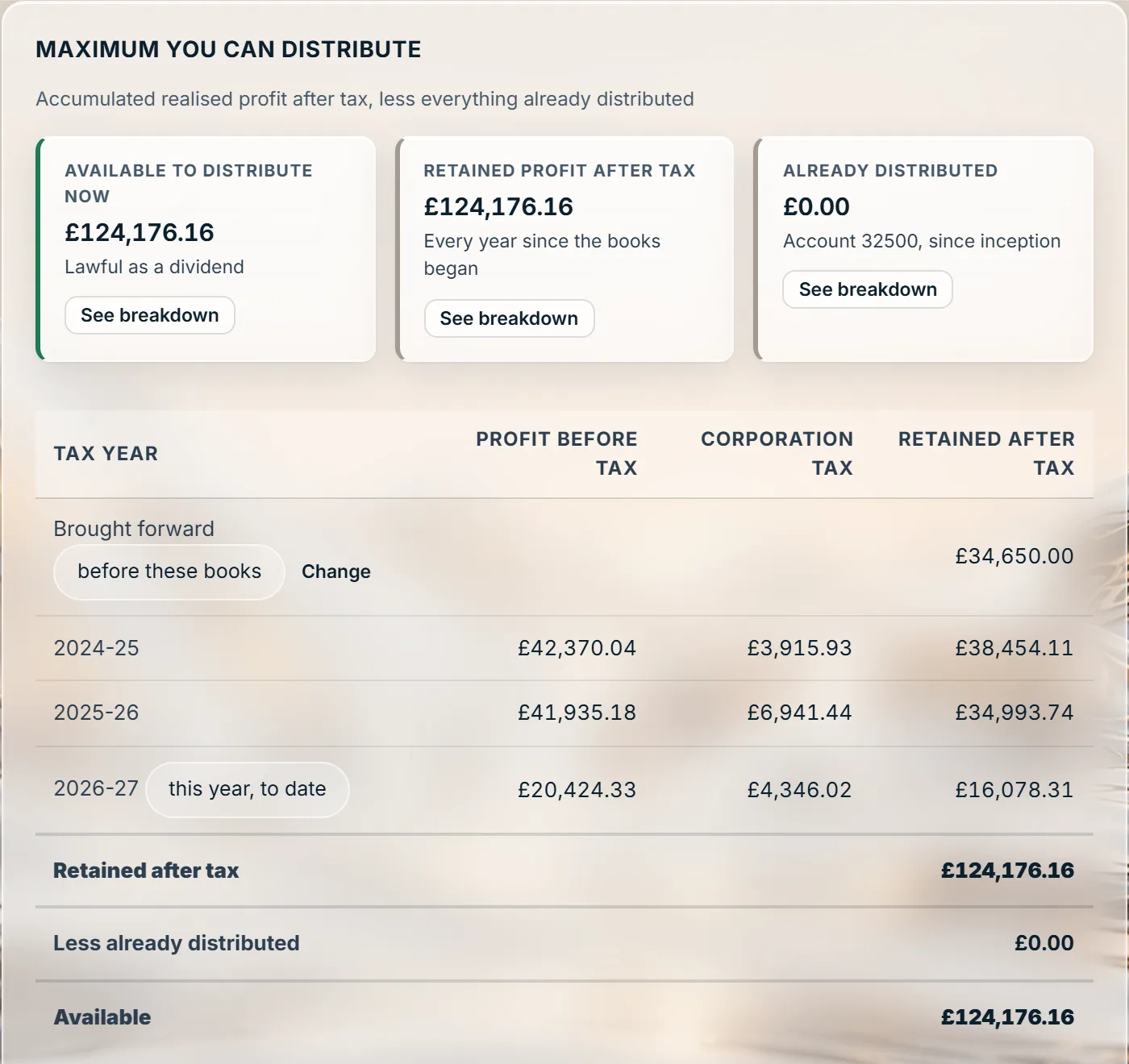
Accounting and tax software on a real double-entry ledger, for the clients who take the most of your time: CIS contractors and subcontractors, landlords, sole traders coming into Making Tax Digital (MTD), and the companies and LLPs whose accounts you prepare. Every total is a button. What opens adds back to it, and says so - and a right-click explains it in words.
Click it and Explain this
A client asks why their tax went up. HMRC asks how a VAT box was made. A reviewer wants to see the CIS behind a refund. In most software the answer is a report to run and a spreadsheet to rebuild. In Stoneledger the answer is on the screen already: open the figure.
The tax calculation, the VAT return, the CIS pane, the trial balance, every property, drawings and dividends, payroll. Click a figure and it opens onto what makes it up.
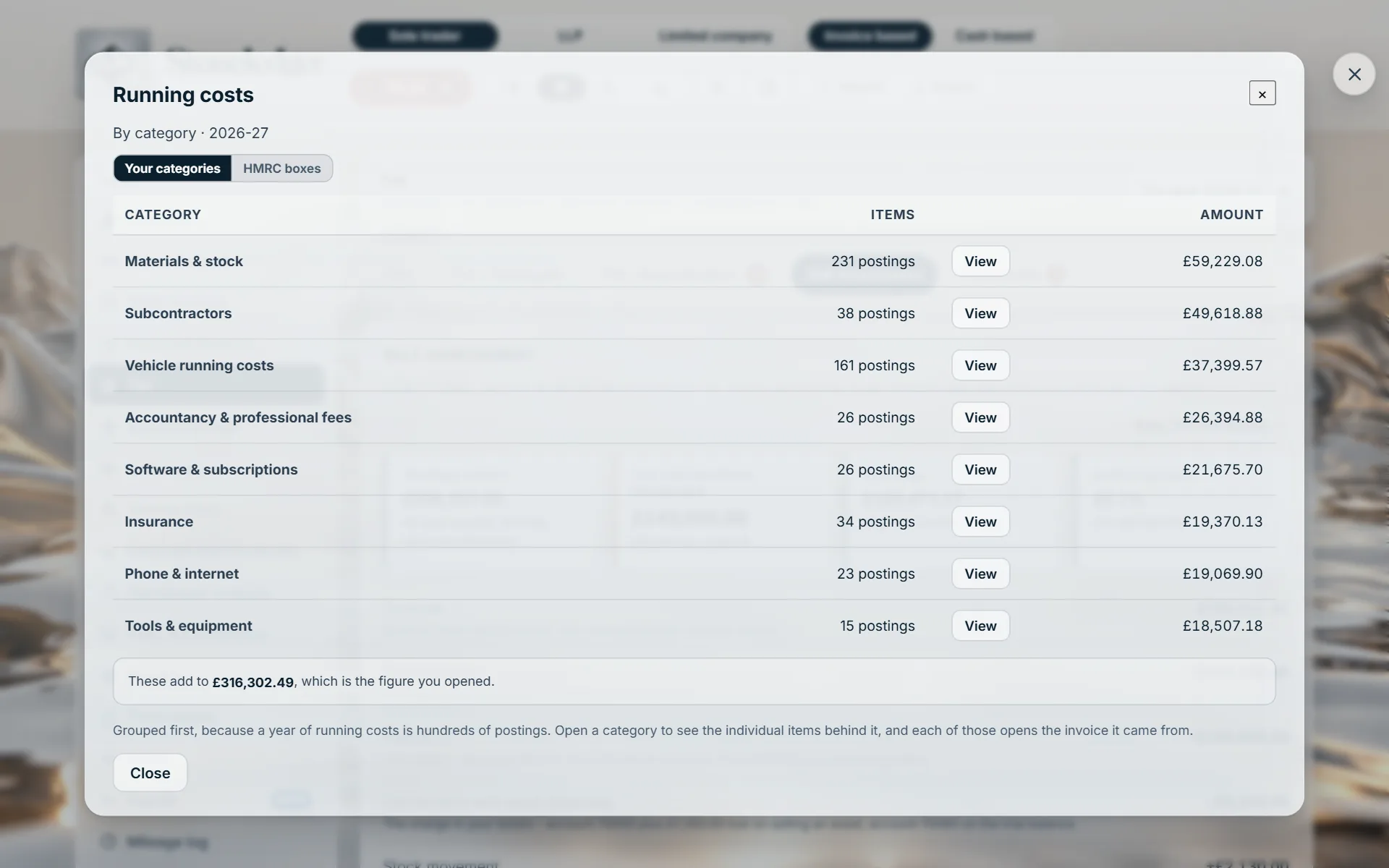
Each breakdown ends by saying what its rows add to, and that it is the figure you opened. If a list ever came to a different total, the panel would say so in plain words rather than leave you to find it.
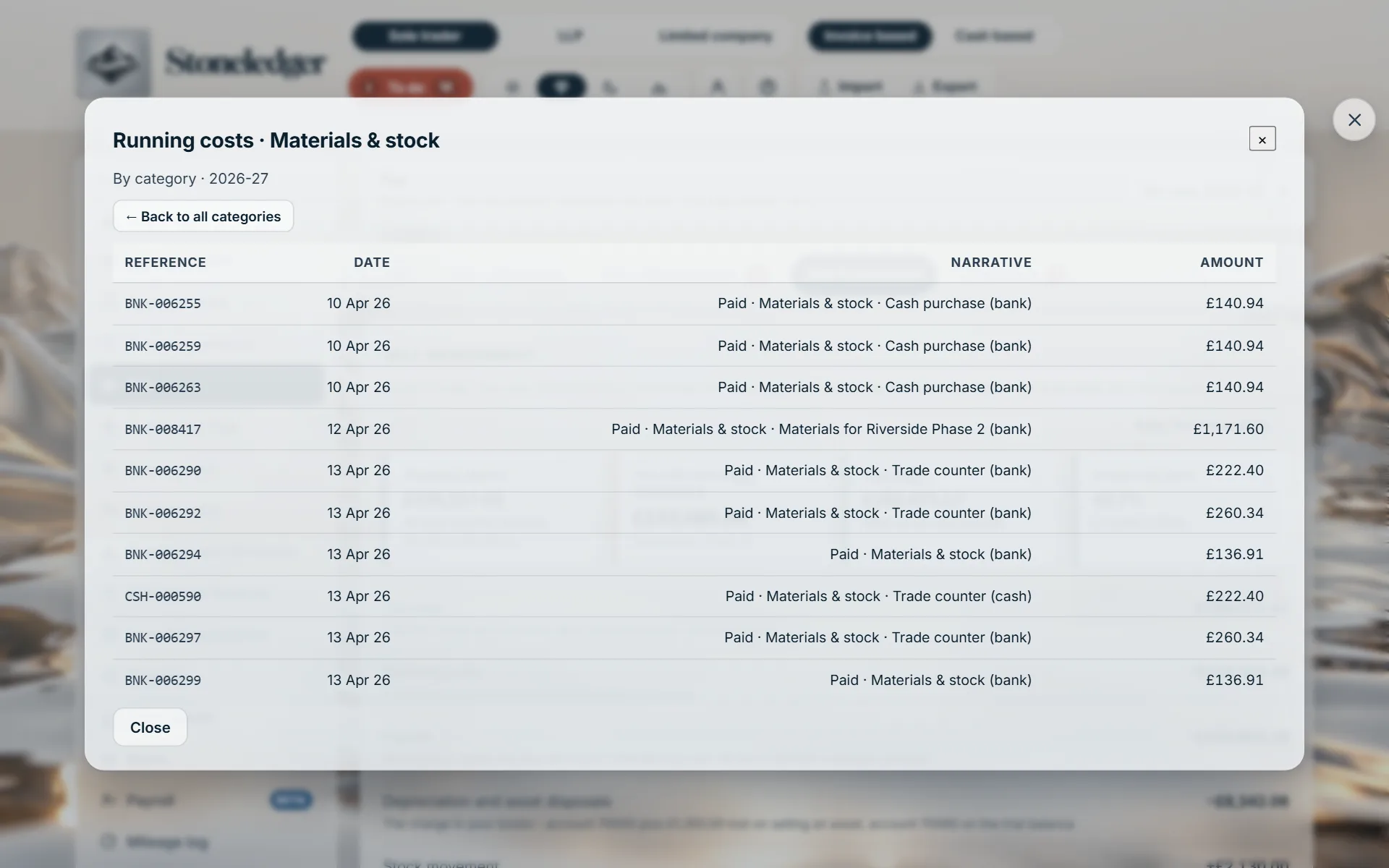
Running costs opens by category, the way the trial balance groups them. A category opens its items. An item opens the invoice, bank entry or journal it came from. Two clicks answer most questions.
Every breakdown’s Reference column is the reference of the record behind the row, such as SAL-000105 or BNK-072515, with an Open button that takes you to it. The same reference on every screen.
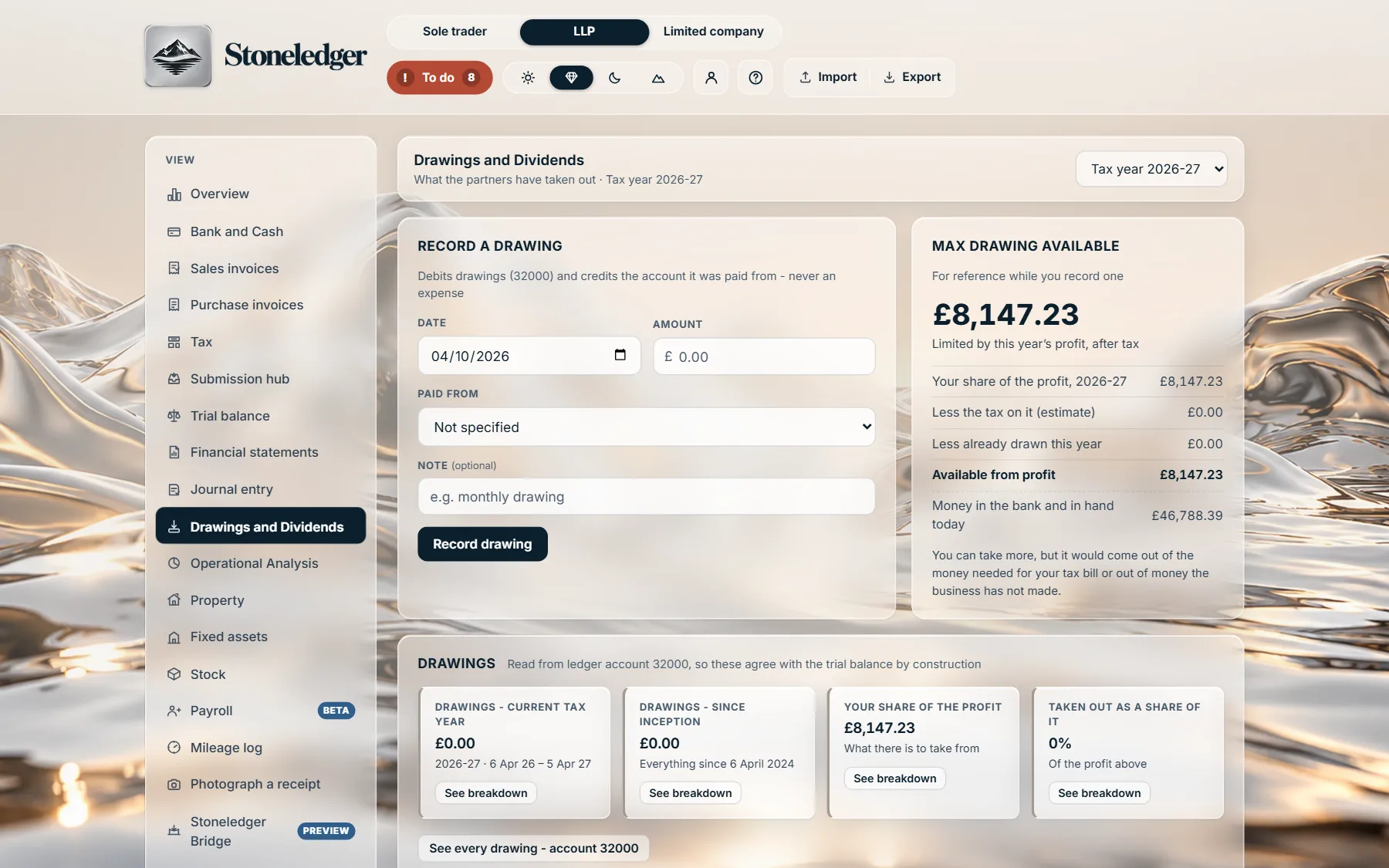
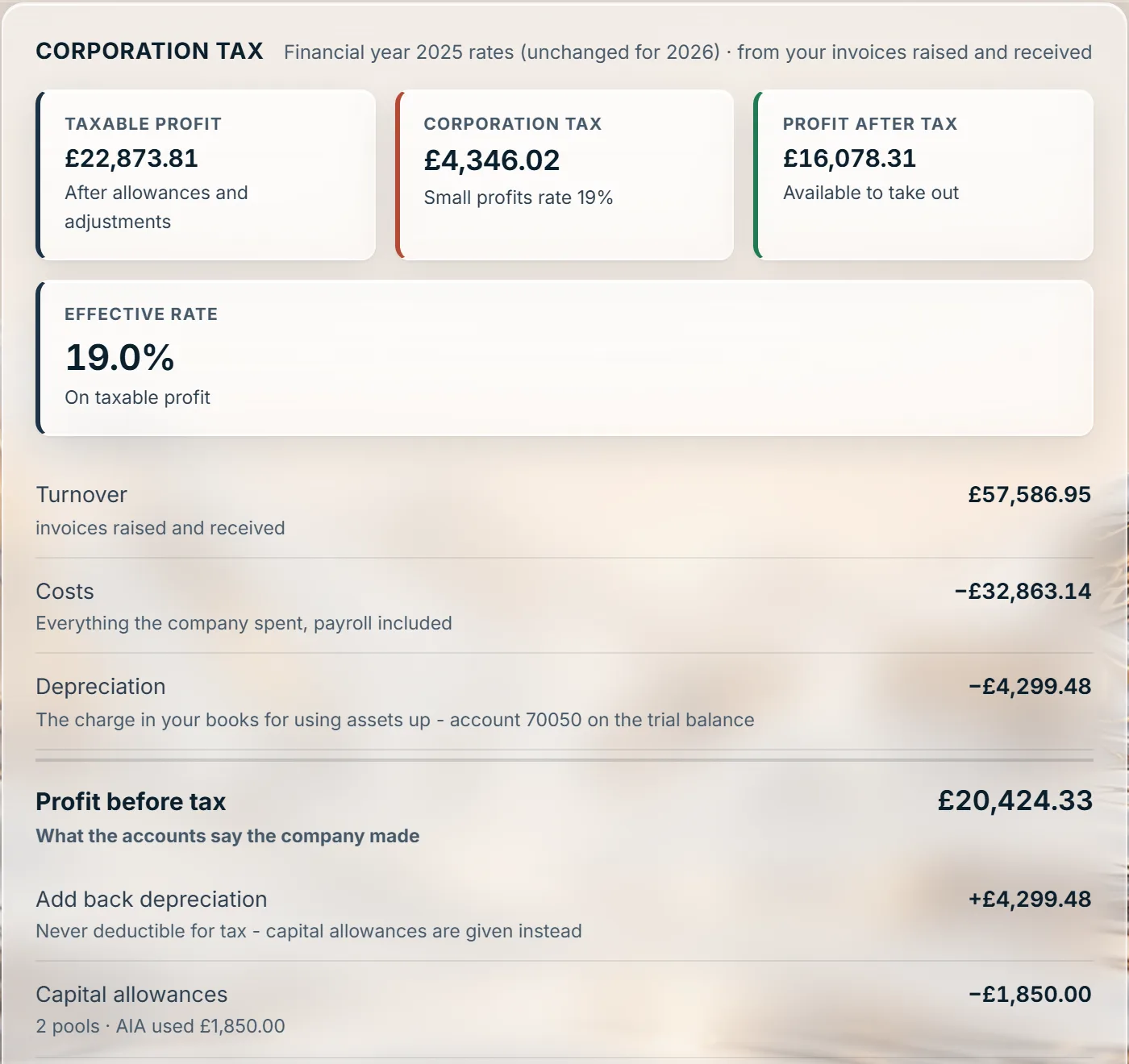
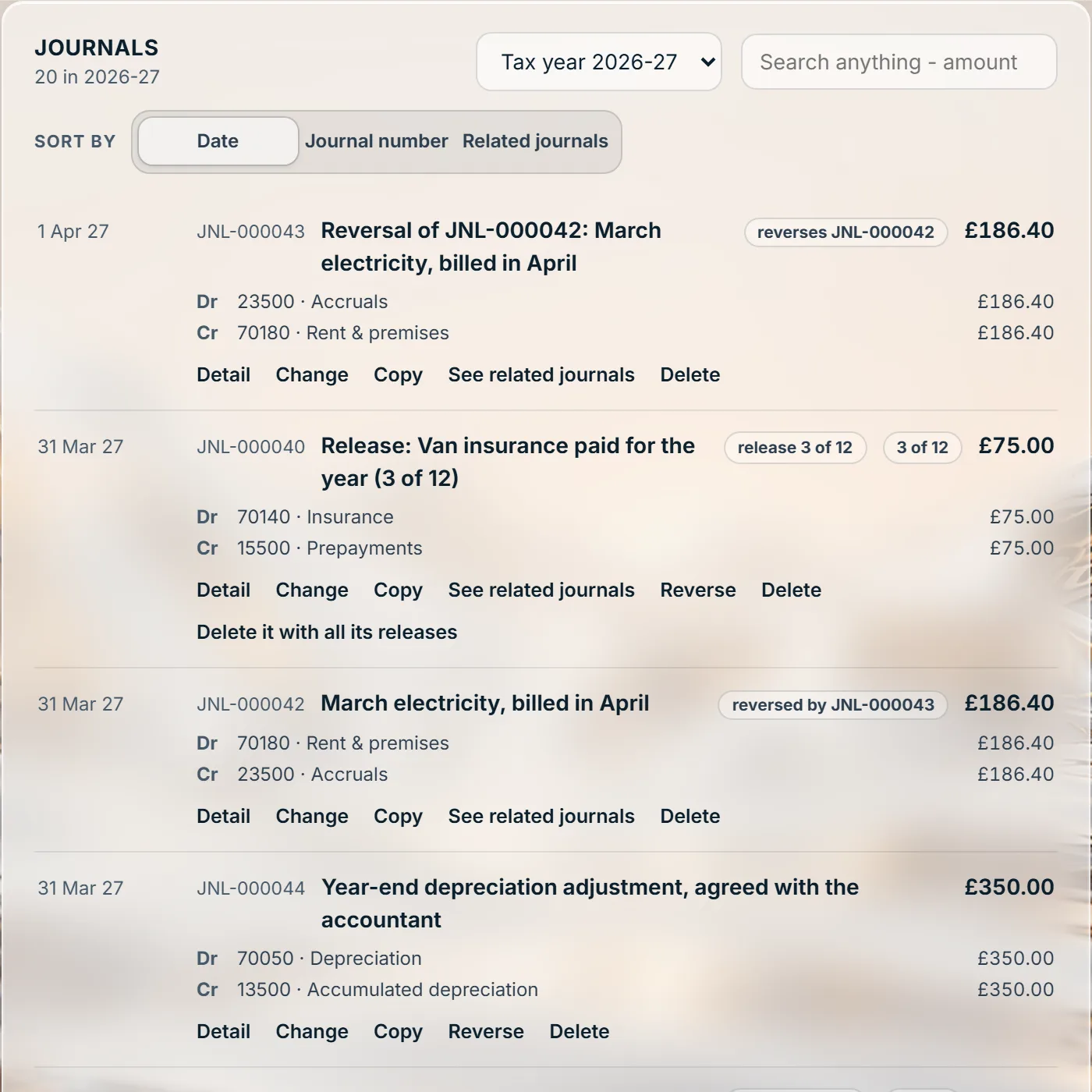
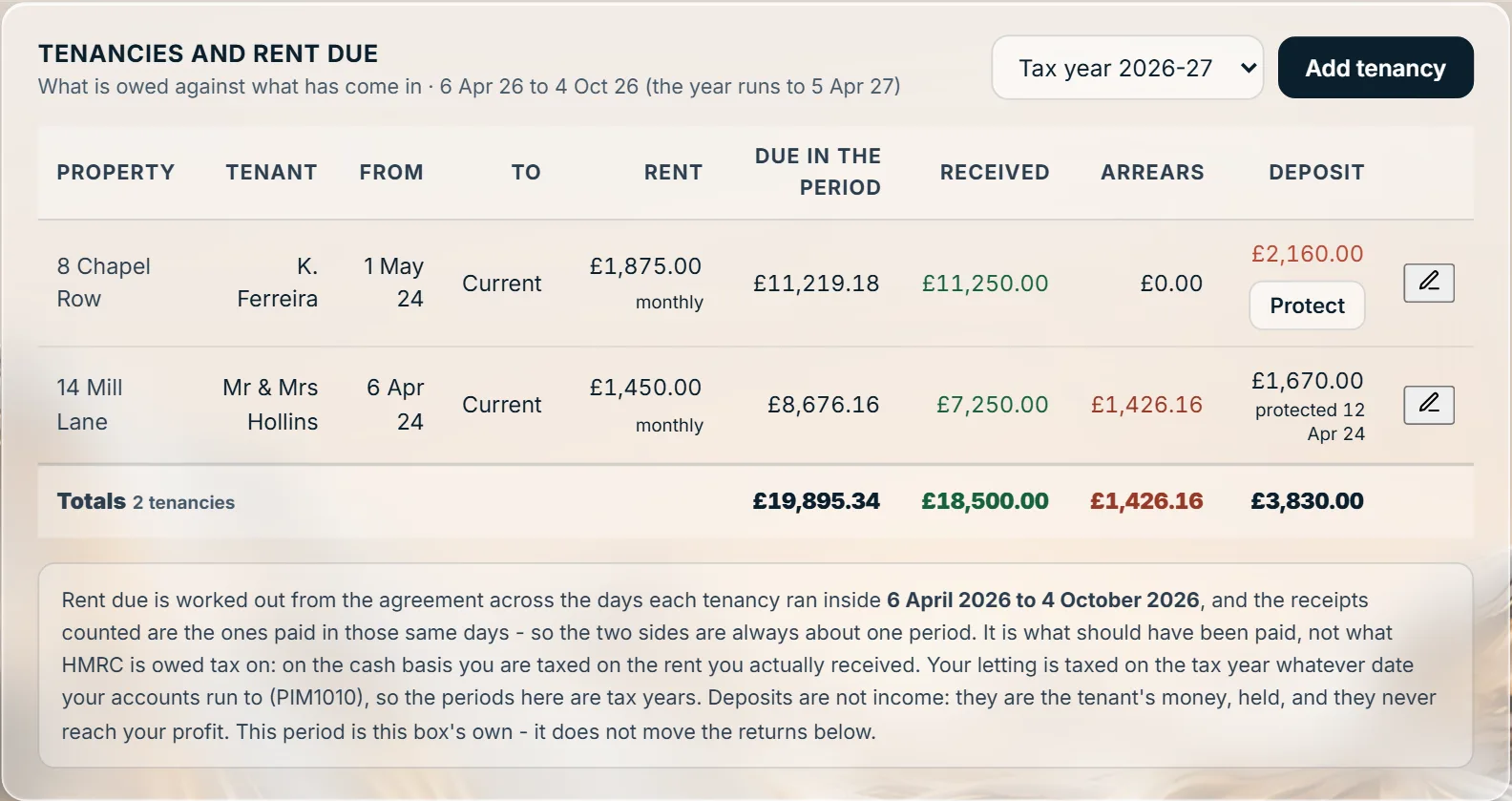
Each pair is a real screen and what one click on it opens. Click any screen to see it full size.
The CIS deducted this tax year opens onto every payment it came off, with the contractor, the date and the invoice. It counts by the date the money arrived, as HMRC does.
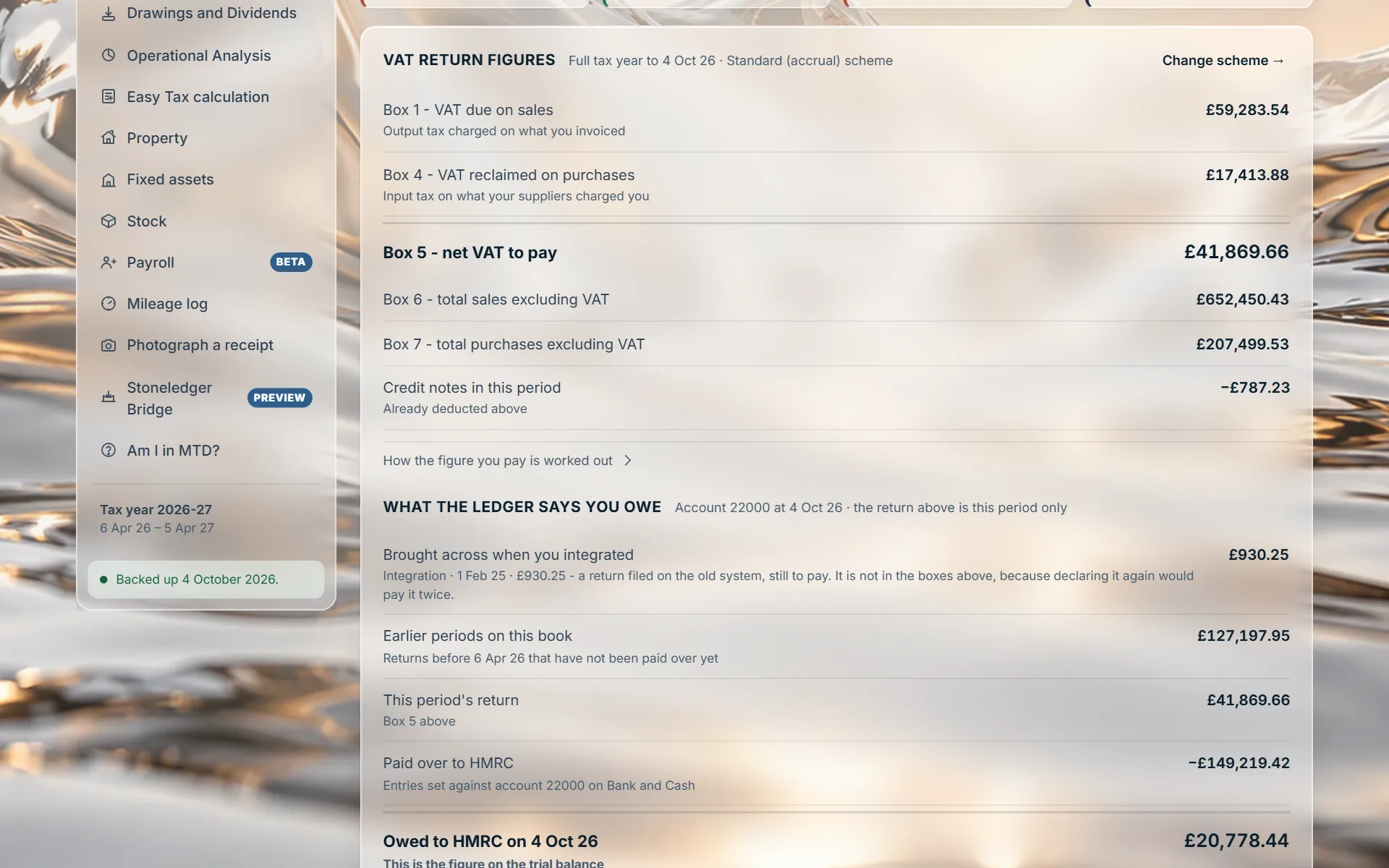
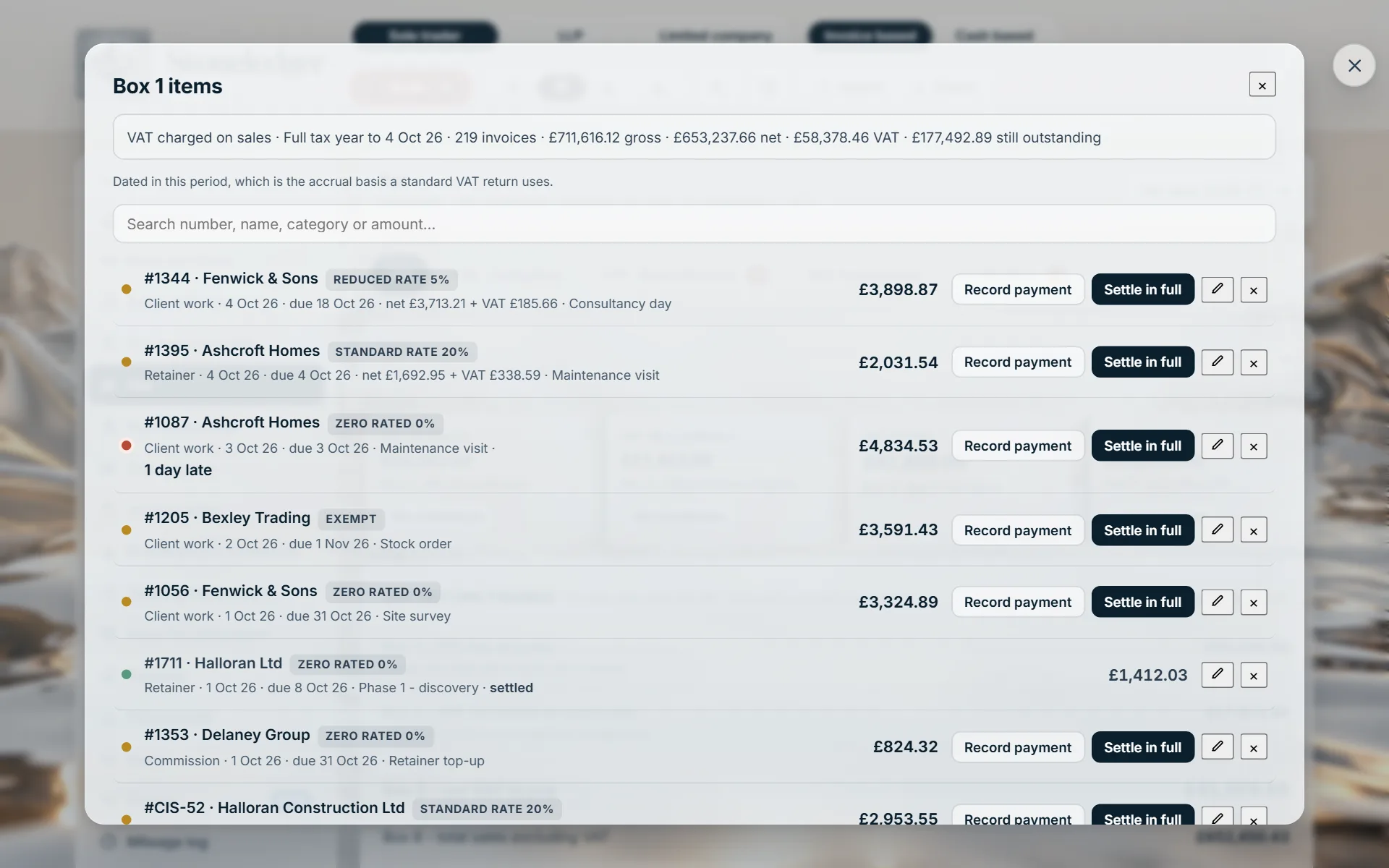
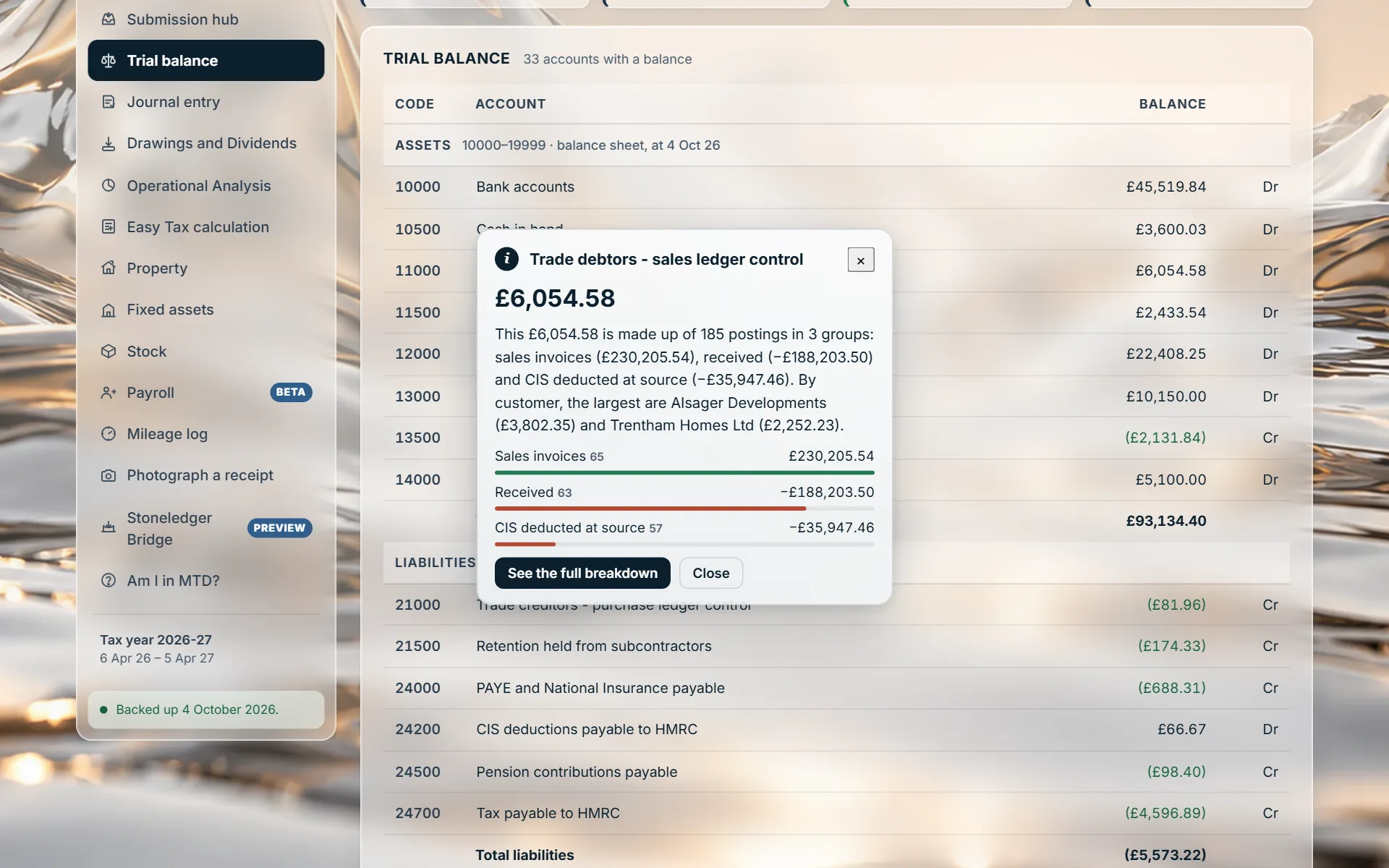
Before anything is sent, each box opens onto the invoices and entries that make it up, including reverse charge and cash accounting.
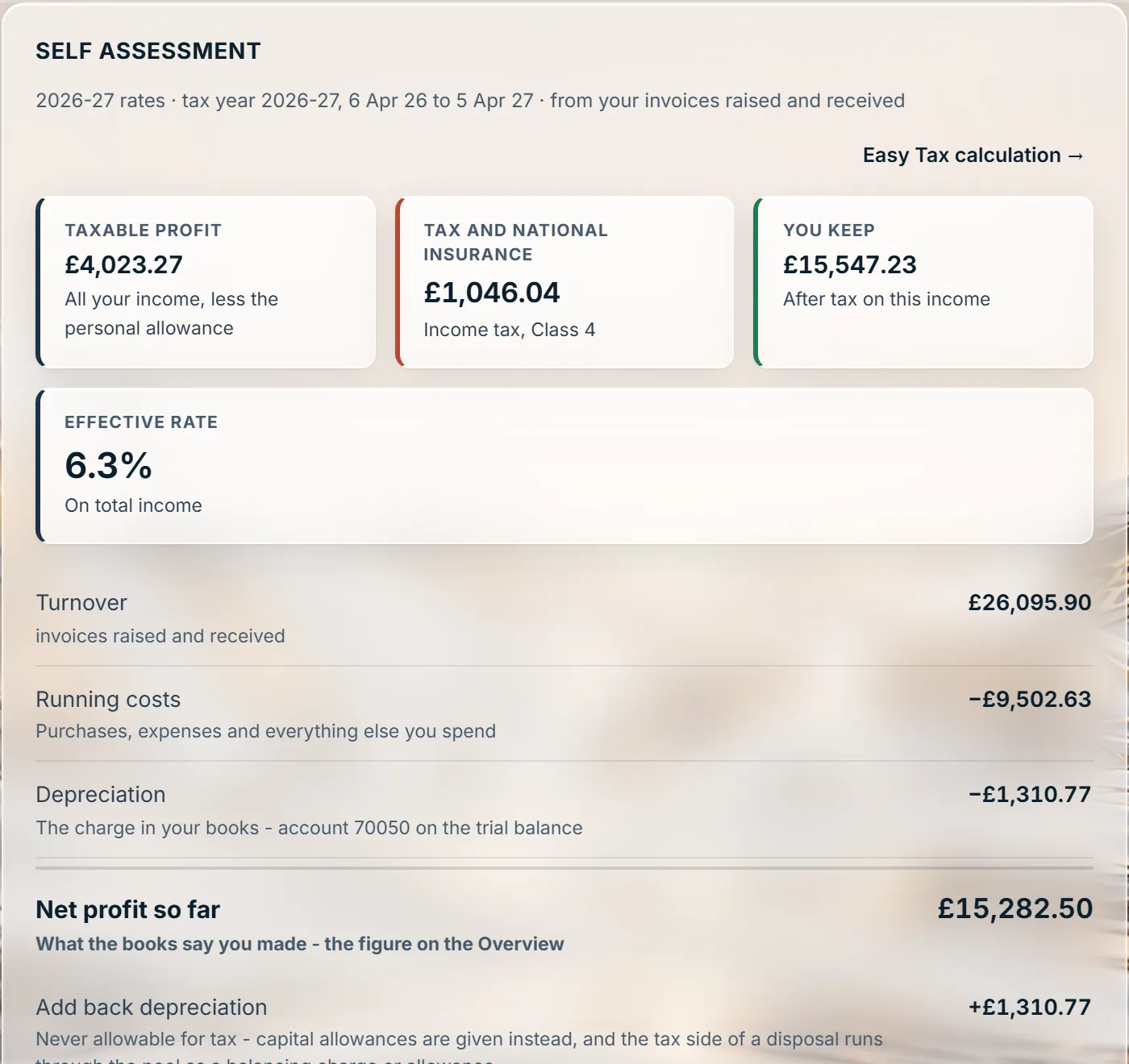
Every line of the calculation opens. Running costs opens by category first, and a category opens its items, each linked to its invoice.
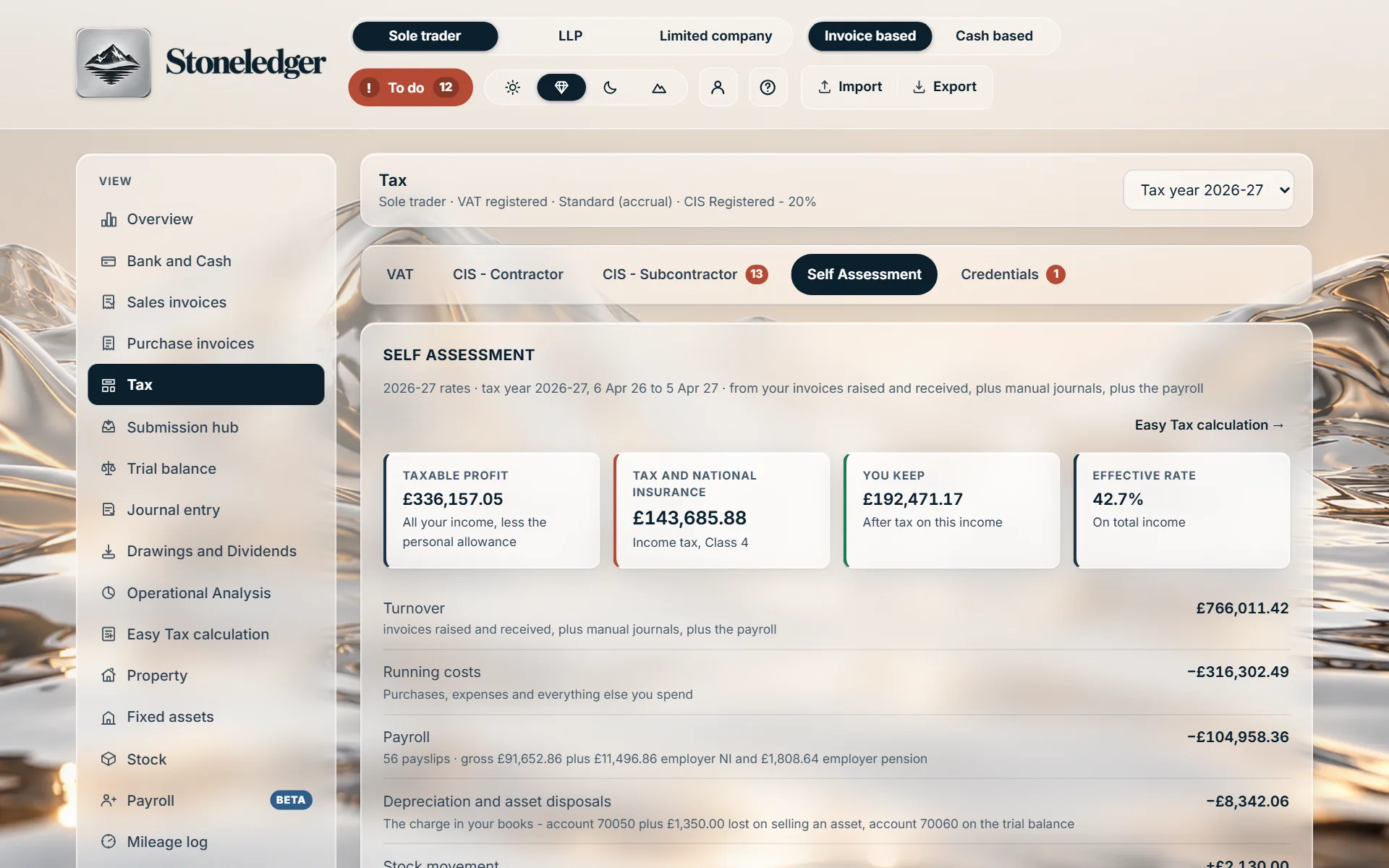
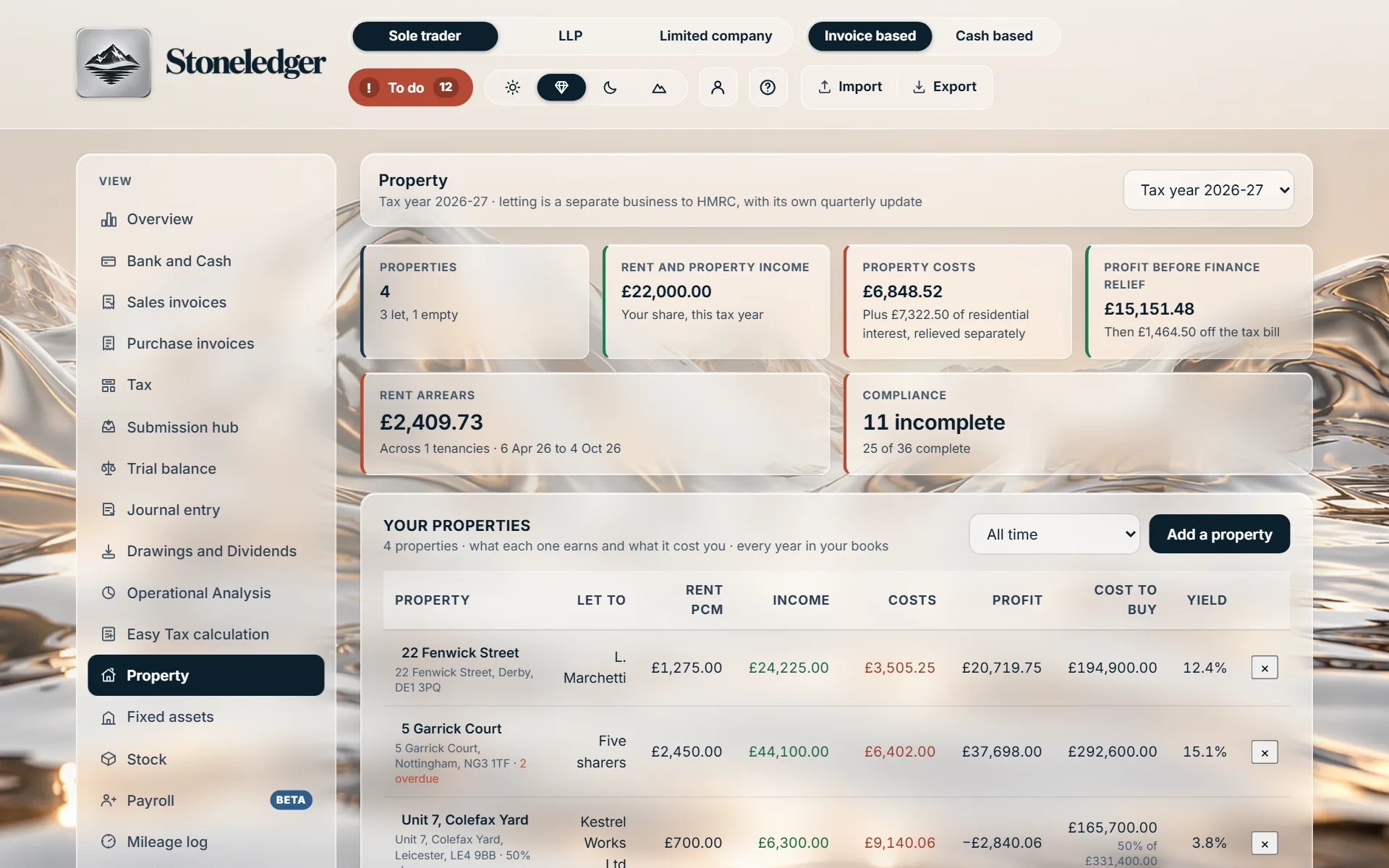
Each property’s income and costs open onto the entries behind them, at the owner’s share where it is jointly held.
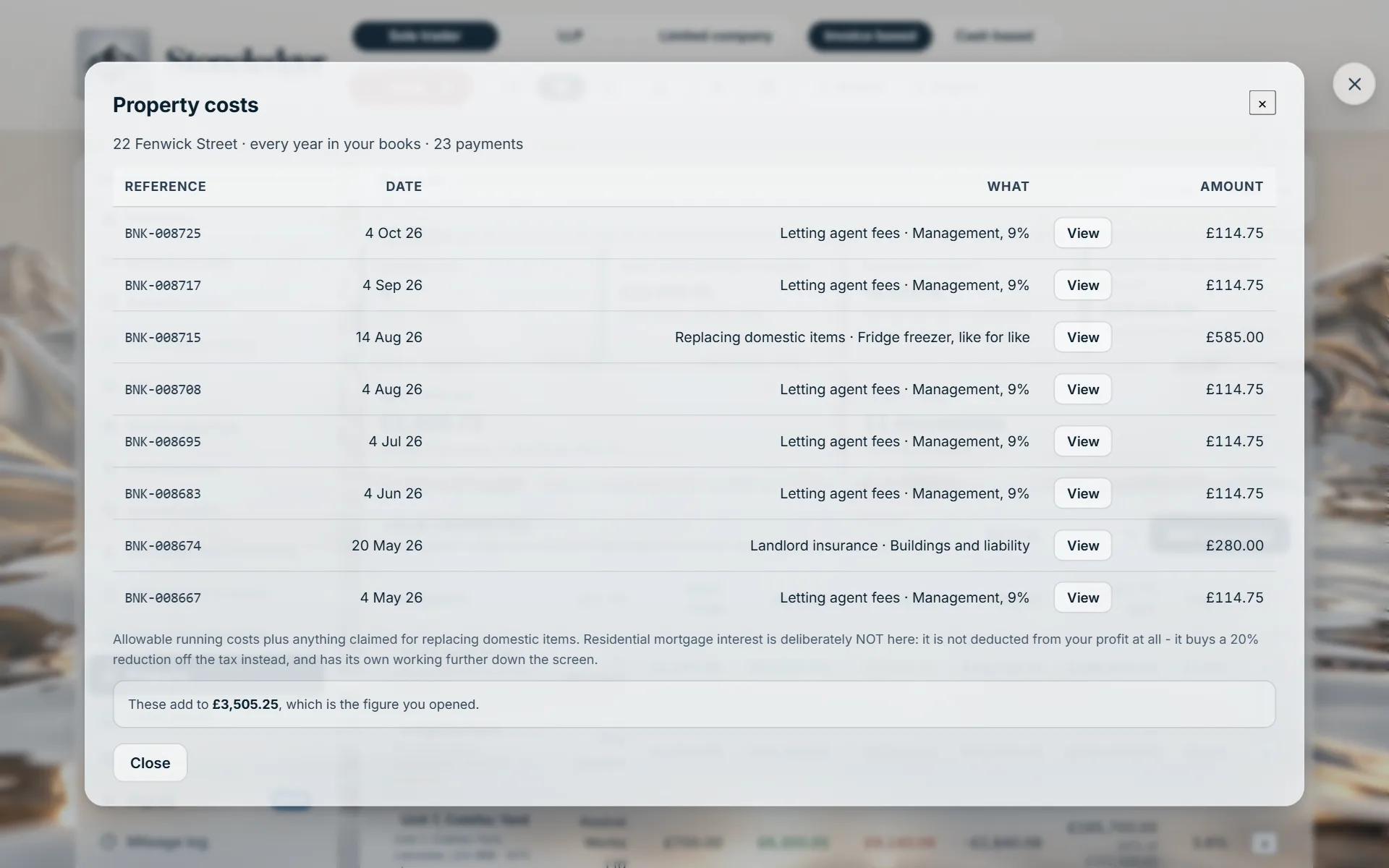
The same on a book with thousands of entries: the figure, then every payment it came off, in the order they arrived.
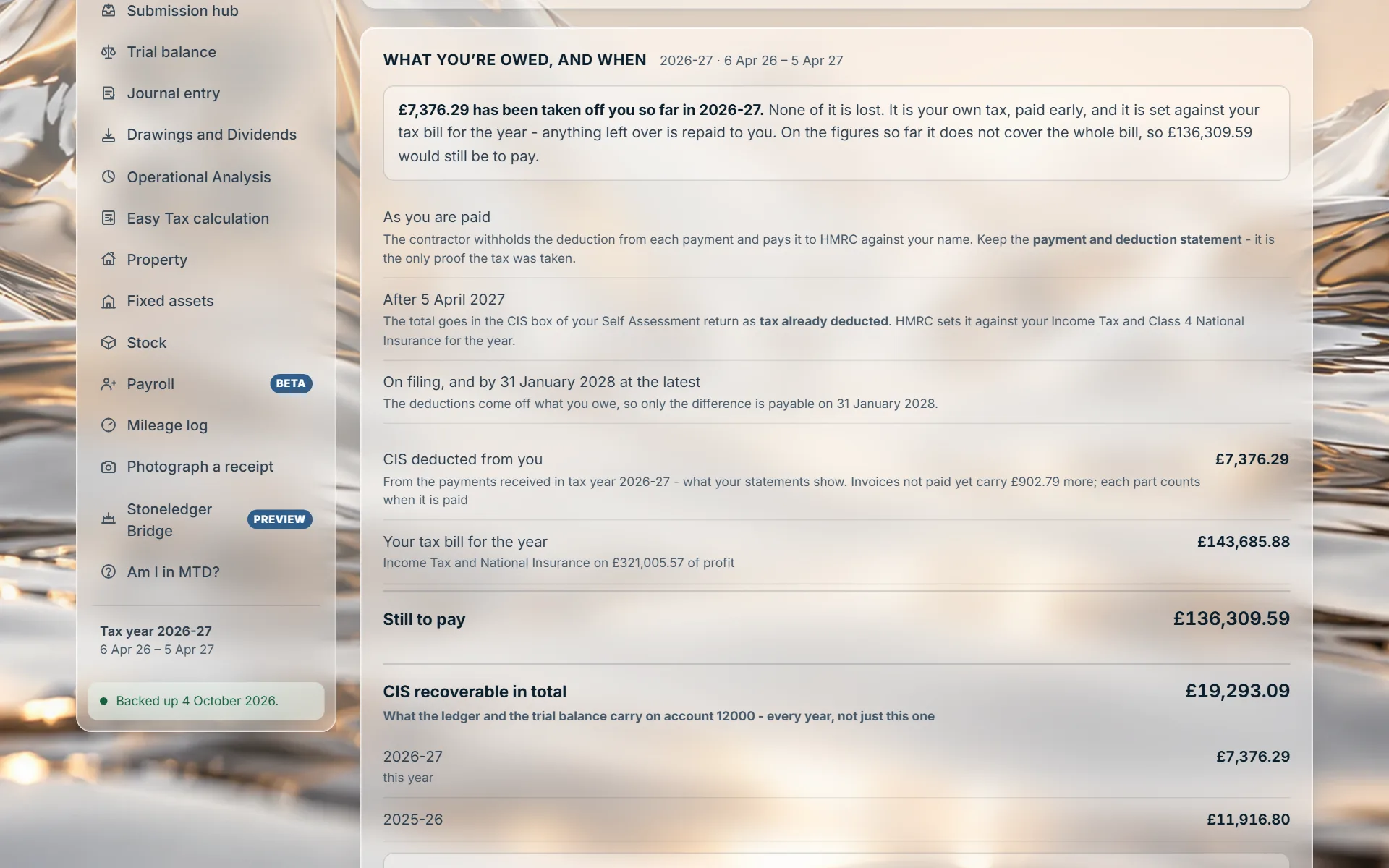
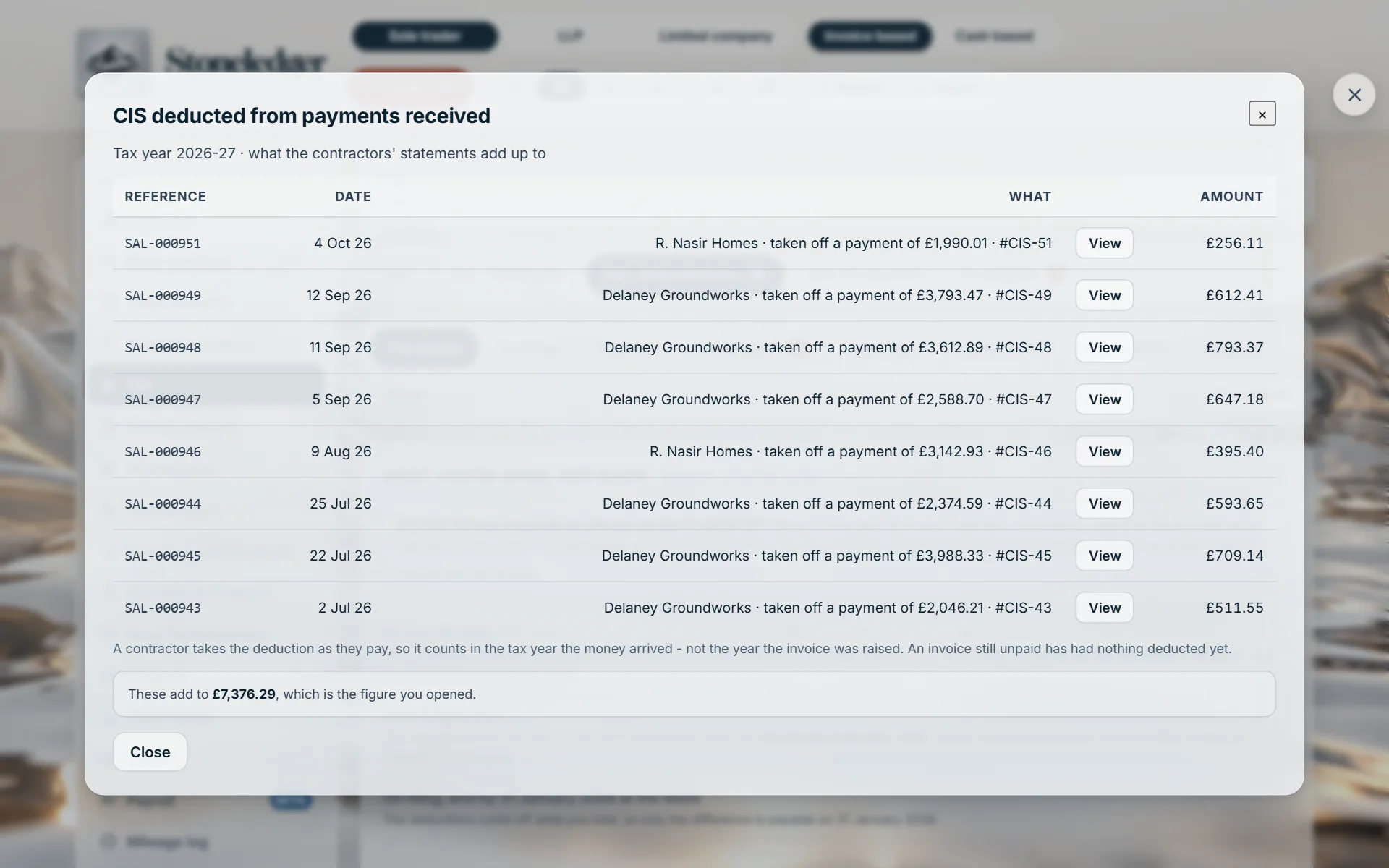
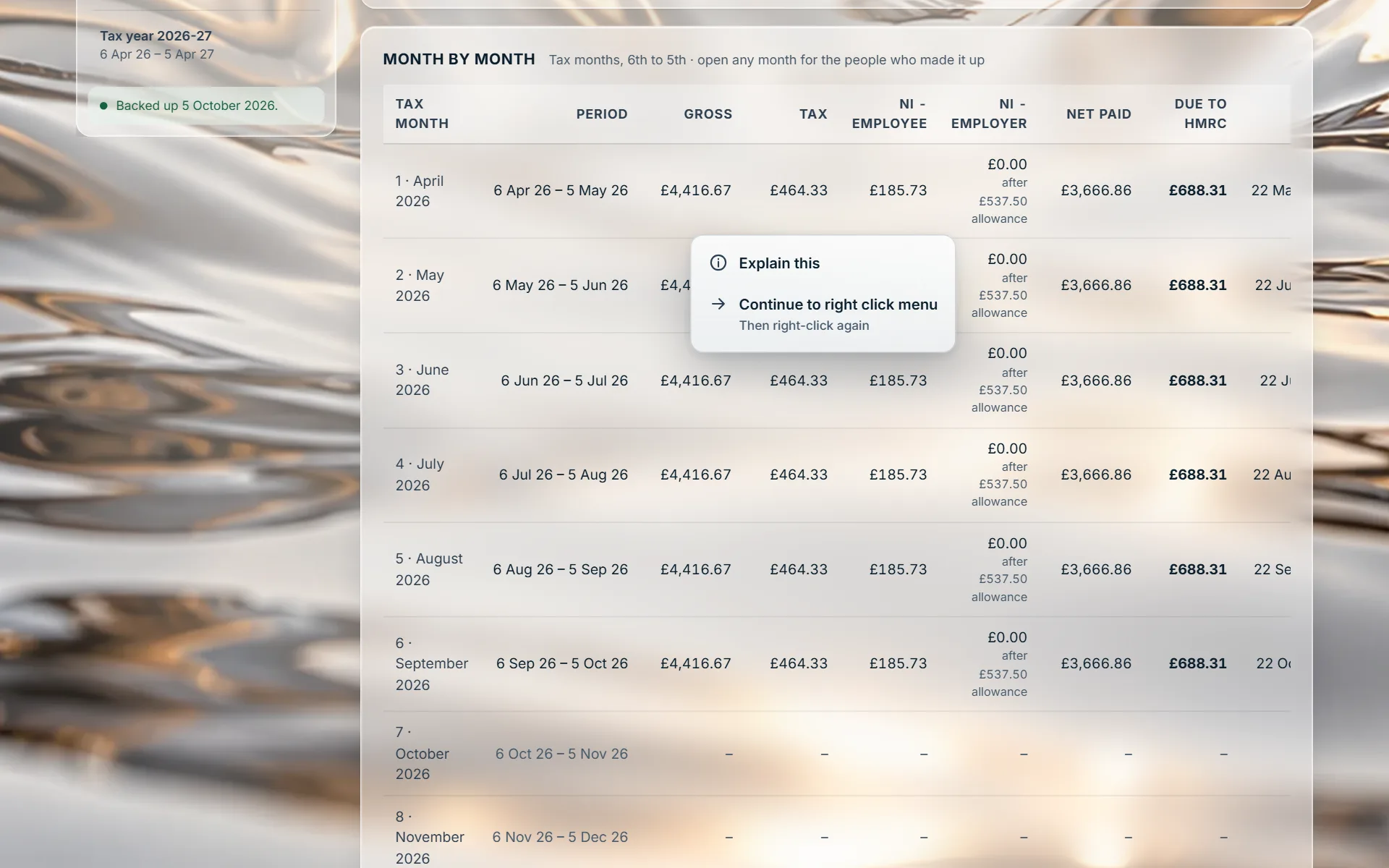
Right-click any figure that opens and a small menu appears where your browser’s would: Explain this, or Continue to right click menu. Explain this opens a note beside the figure saying what it is and what makes it up, written from the very rows the figure opens onto, so the words and the breakdown can never disagree. Shift and a right-click always gives the browser’s own menu.
Your CIS clients
The subcontractor having 20% taken off every payment. The contractor with a CIS300 due every month. And the client who is both: a subcontractor who has started paying other trades. Stoneledger handles each side from the same invoices, so a client never has to leave the product when they grow.
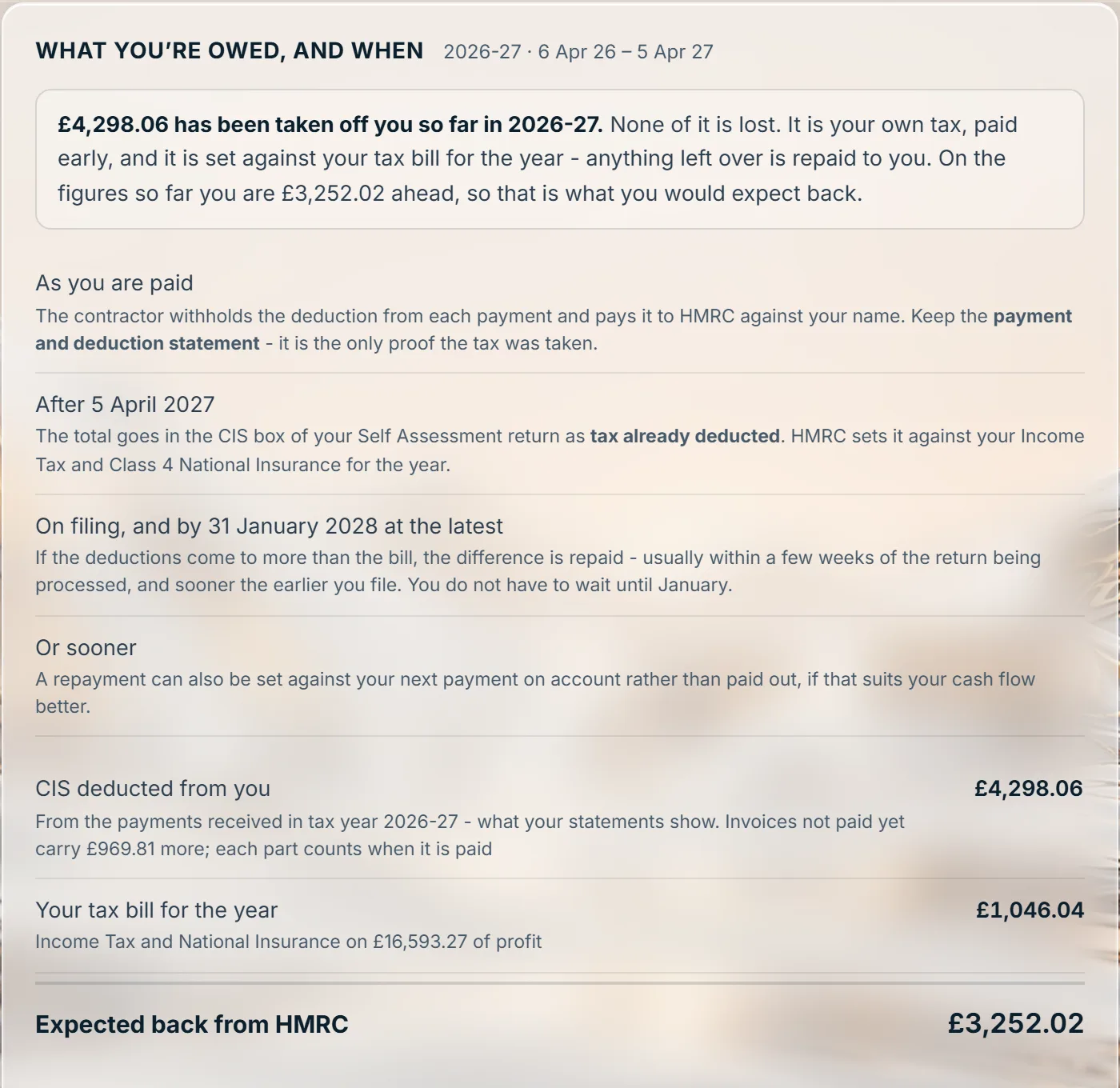
What has been taken off the client so far this tax year, their tax bill from their own books, and the refund it comes to, with this year’s real dates for getting it back.
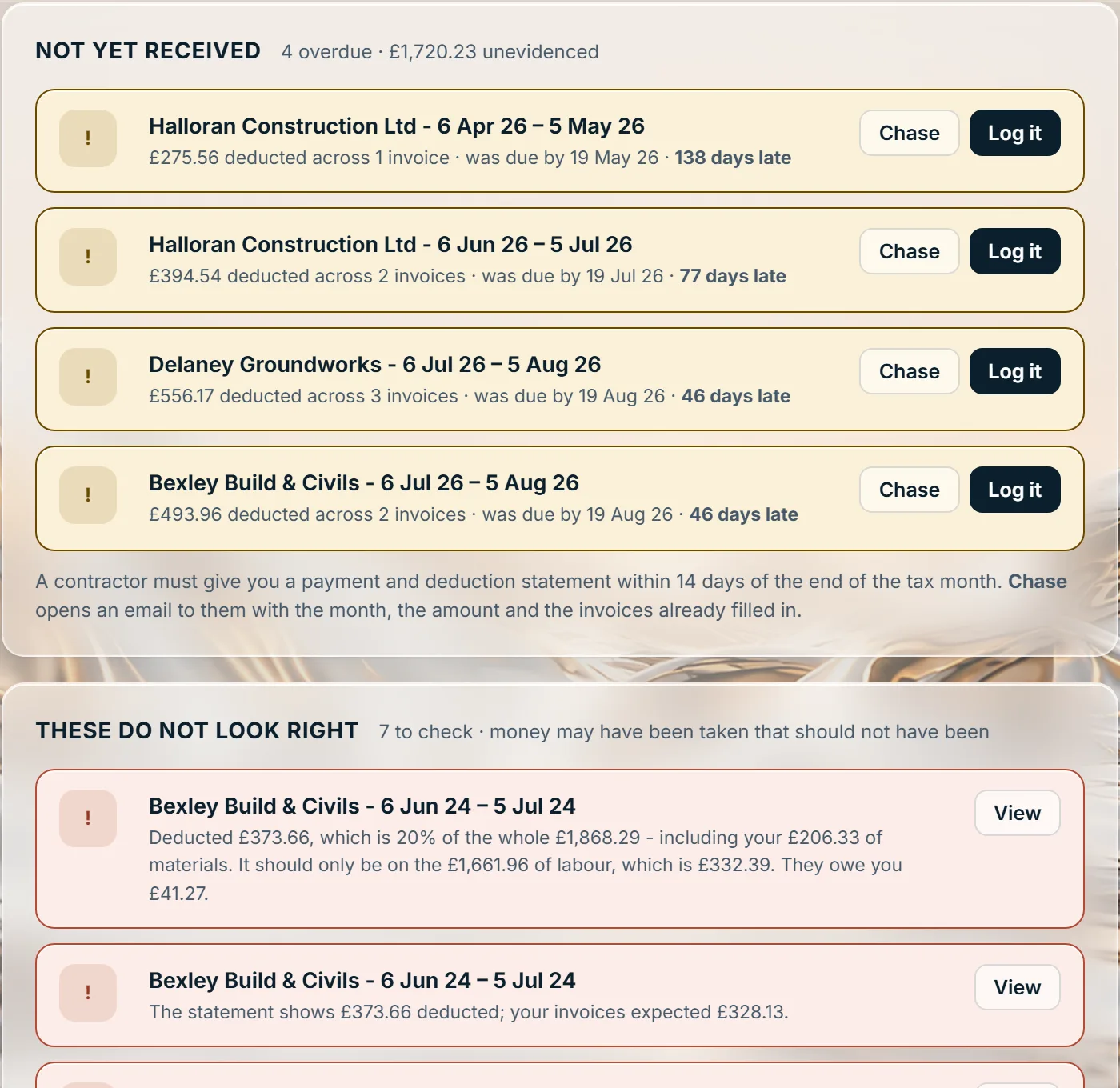
Statements not yet received, and statements that do not agree with the invoices, each with the reason and a chase button.
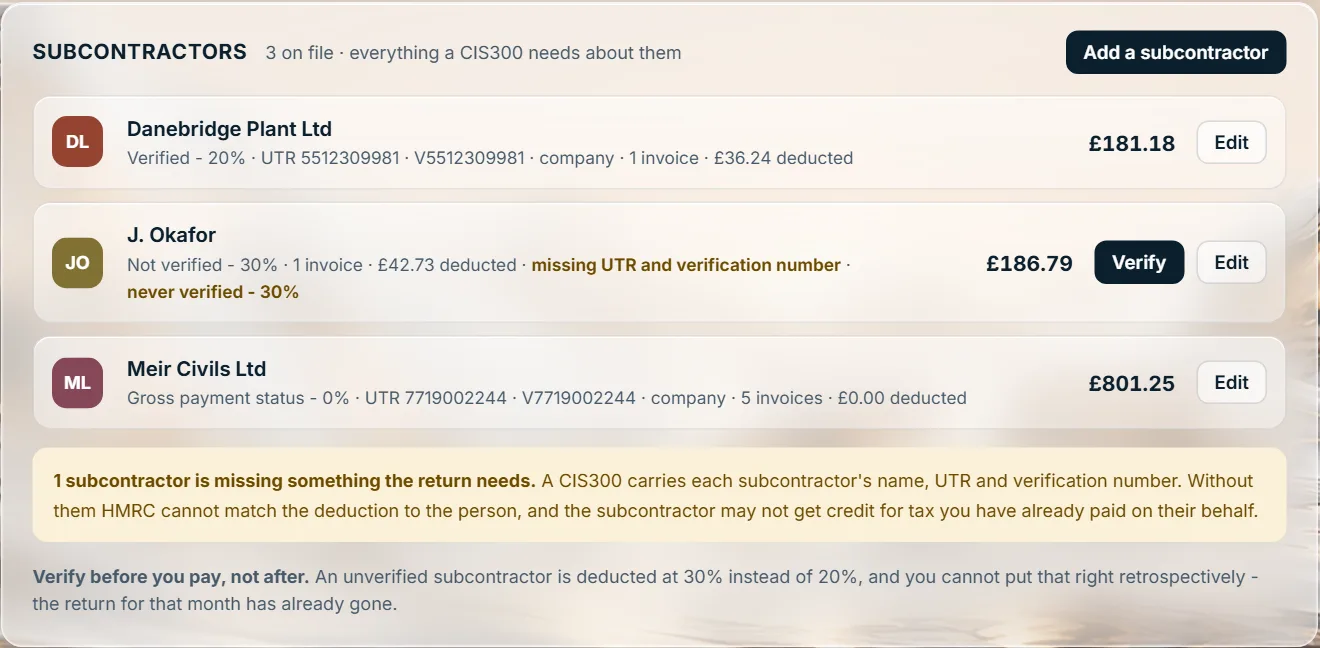
Each subcontractor with their rate. An unverified subcontractor is deducted at 30% instead of 20%, and that cannot be put right once the month’s return has gone.
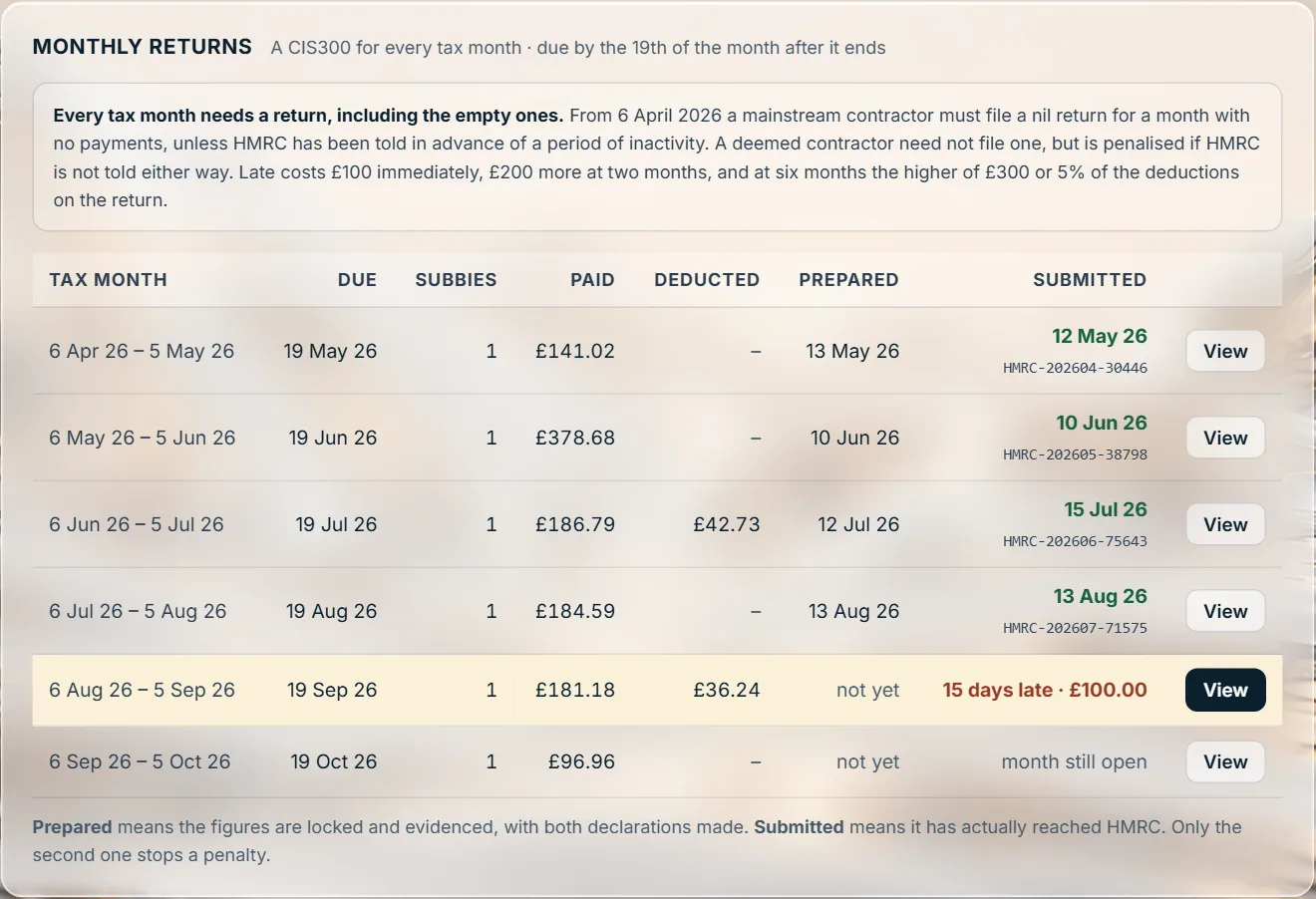
A CIS300 for every tax month, with prepared kept apart from submitted, because only a submitted return stops a penalty.
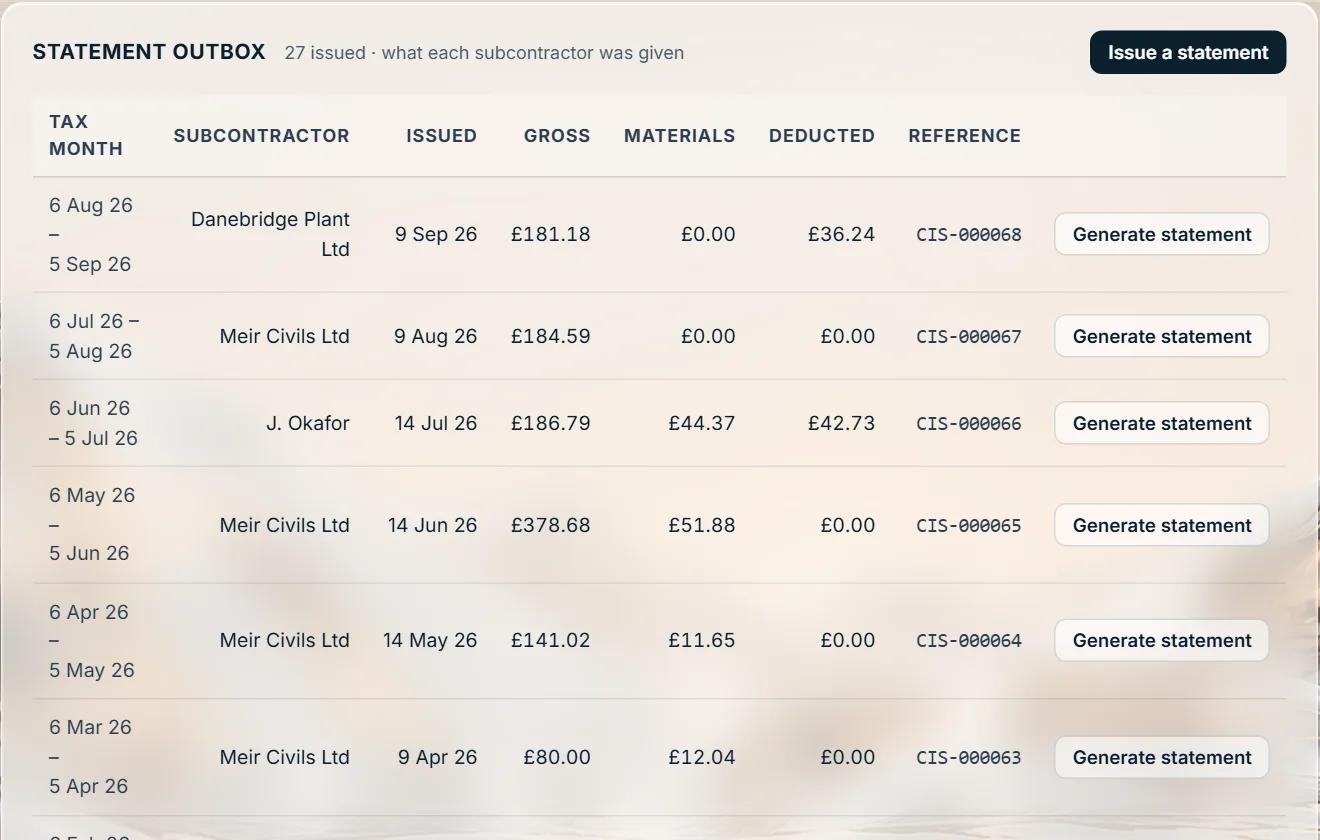
A payment and deduction statement for every subcontractor paid, referenced and kept on file.
What the scheme makes a contractor keep, and the date each year’s records can be disposed of.
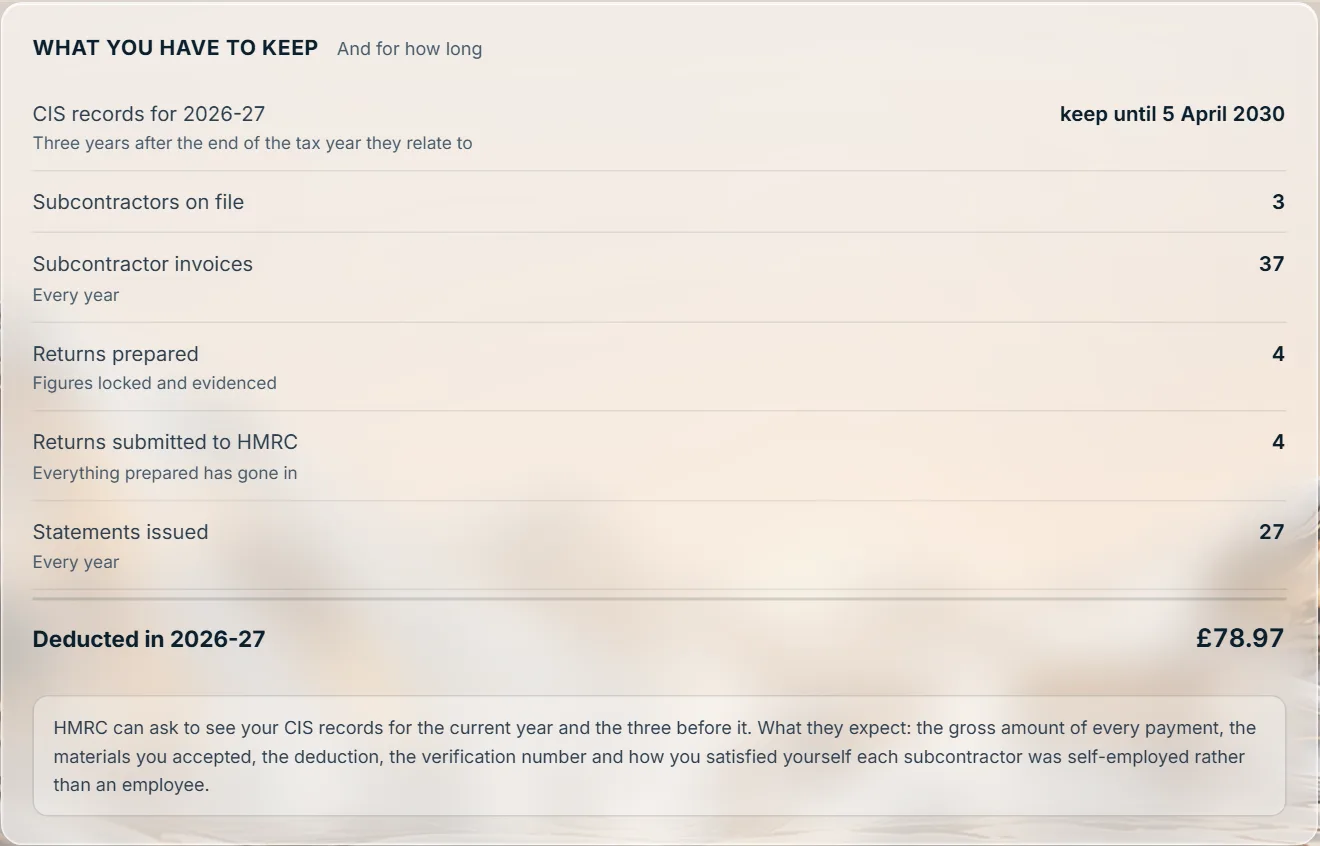
Your company and LLP clients’ accounts
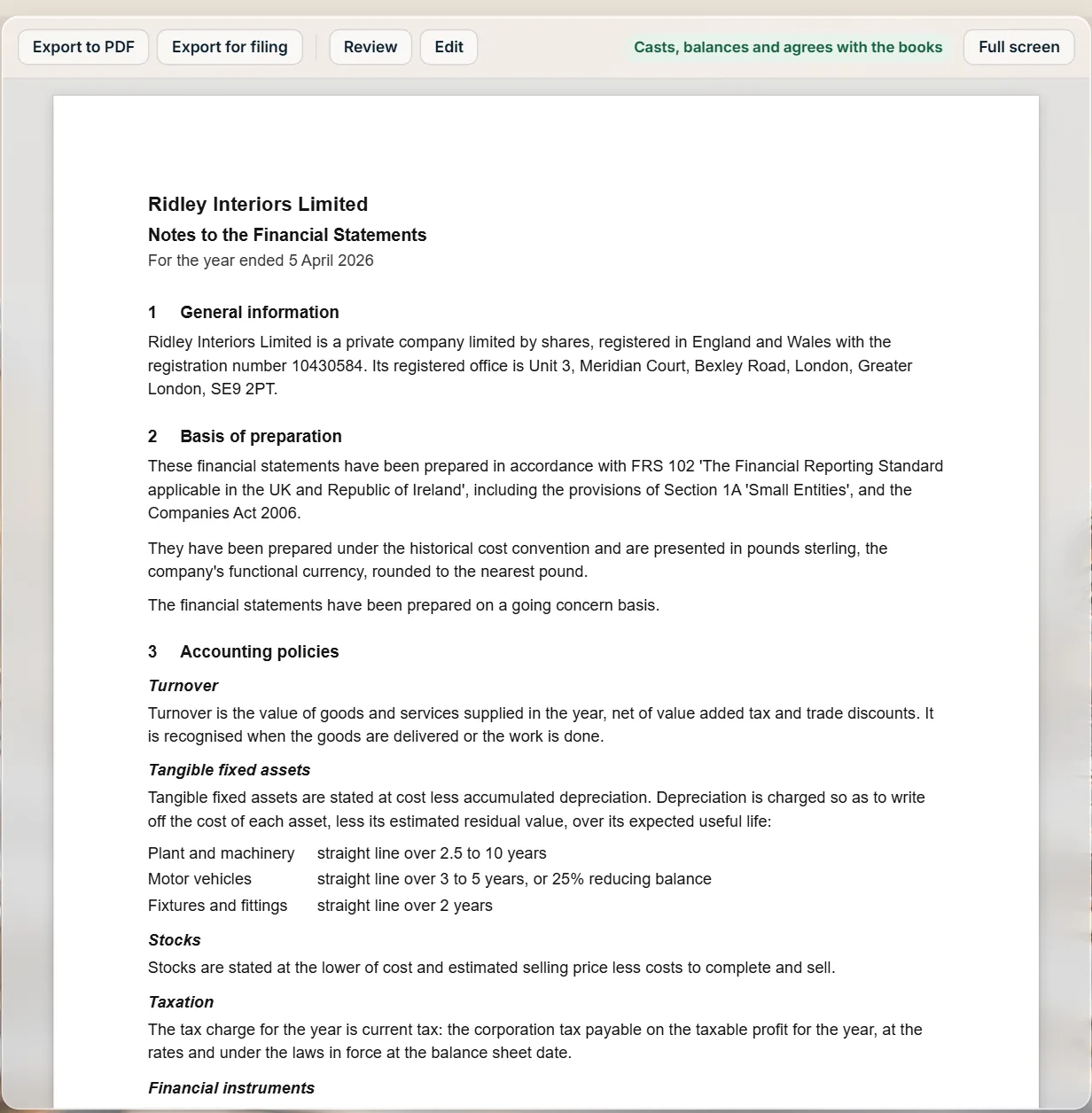
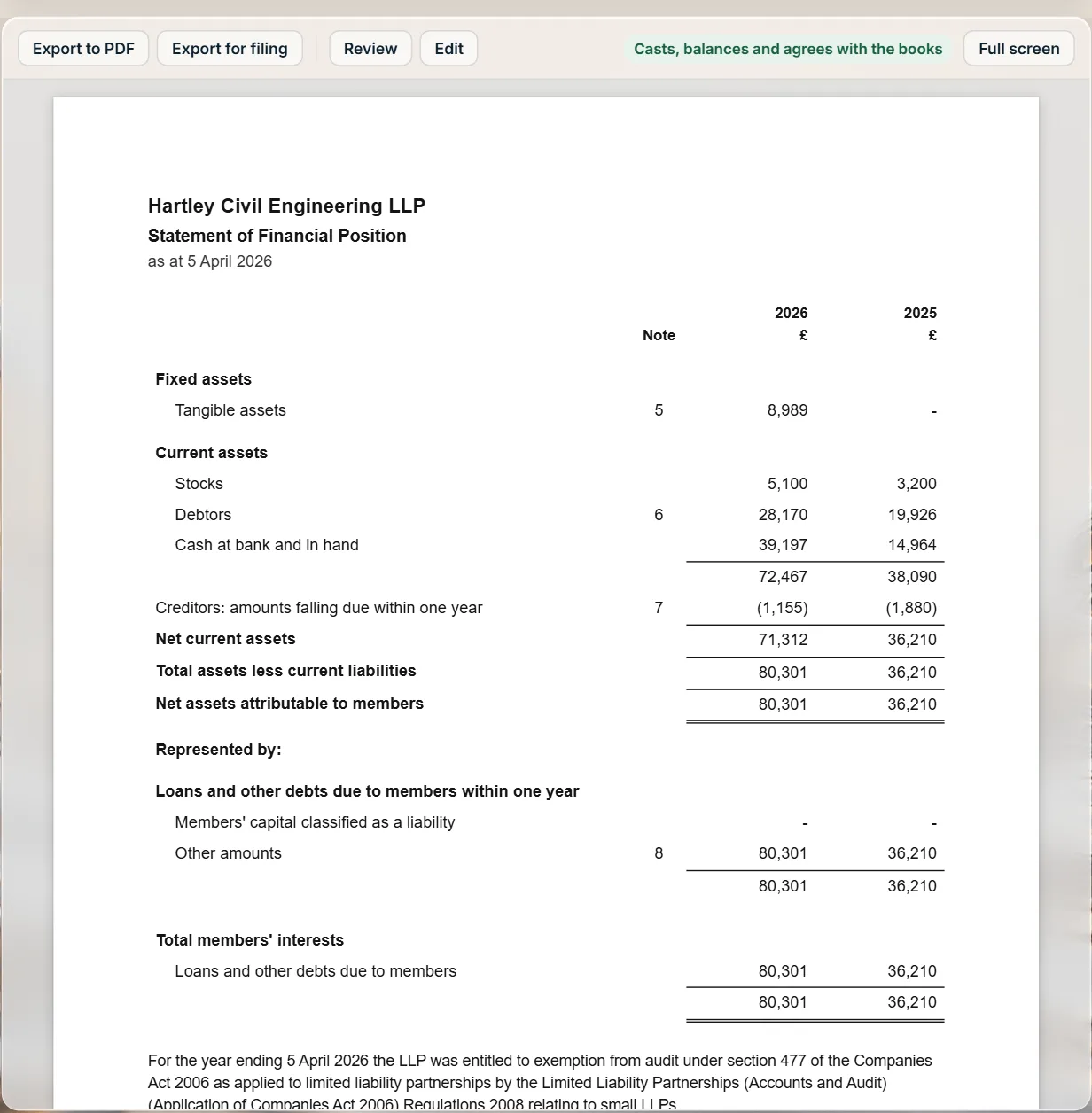
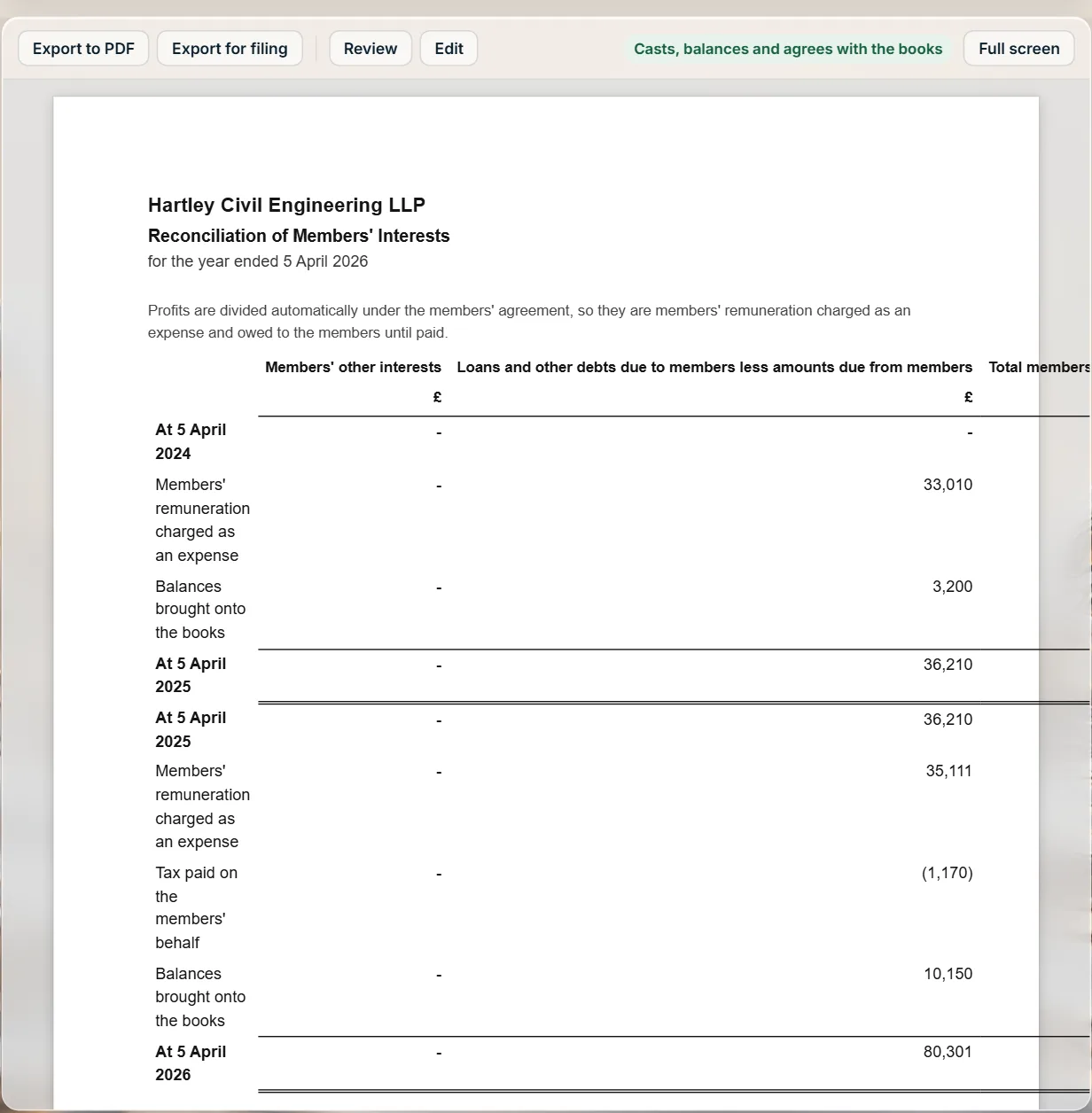
The year’s statutory accounts, built from the same ledger as everything else and laid out the way Companies House expects. Post a journal and the statements follow it. Every total casts, every note agrees with its statement, and every figure can be opened, explained, reviewed and, where you must, typed over with the change logged.
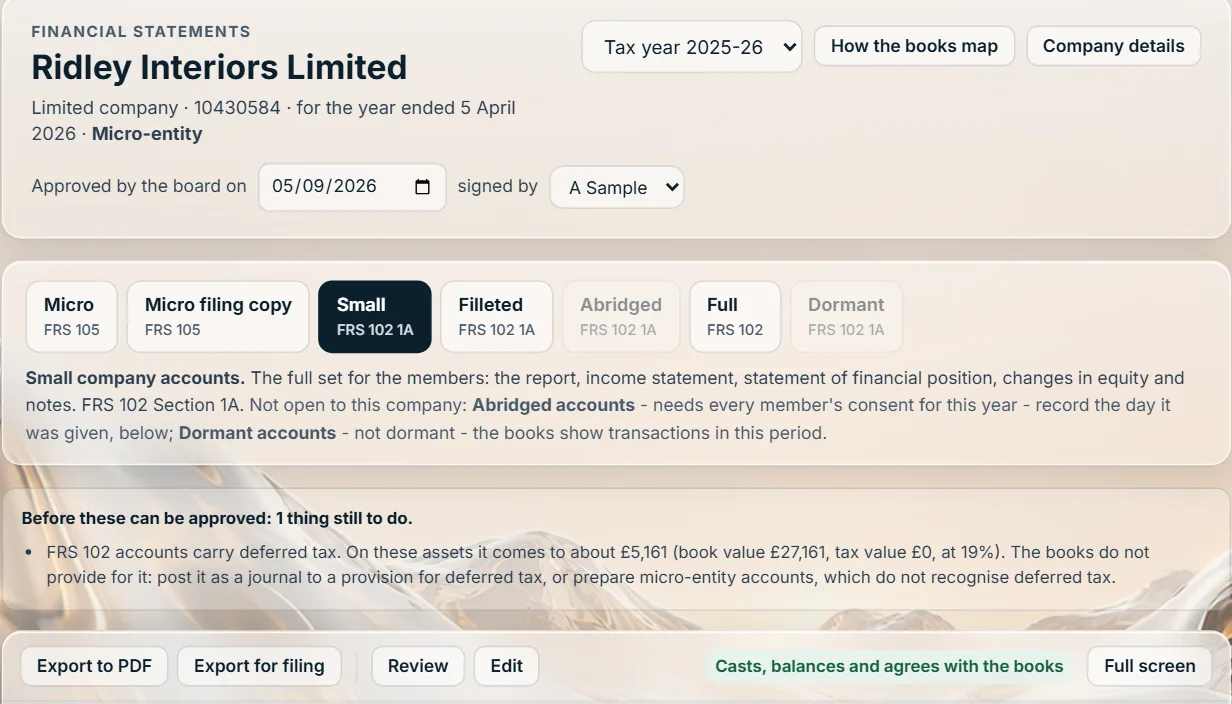
Micro-entity, small, filleted for filing, abridged, full FRS 102 and dormant, offered by the company’s size on the Companies Act tests as they stand from April 2025. A thin bar switches between them and says why any is not open.
The statements the Act requires above the signature, the directors’ or members’ report, the notes each format calls for, the accountants’ report when you are named, and the date of approval and who signs.
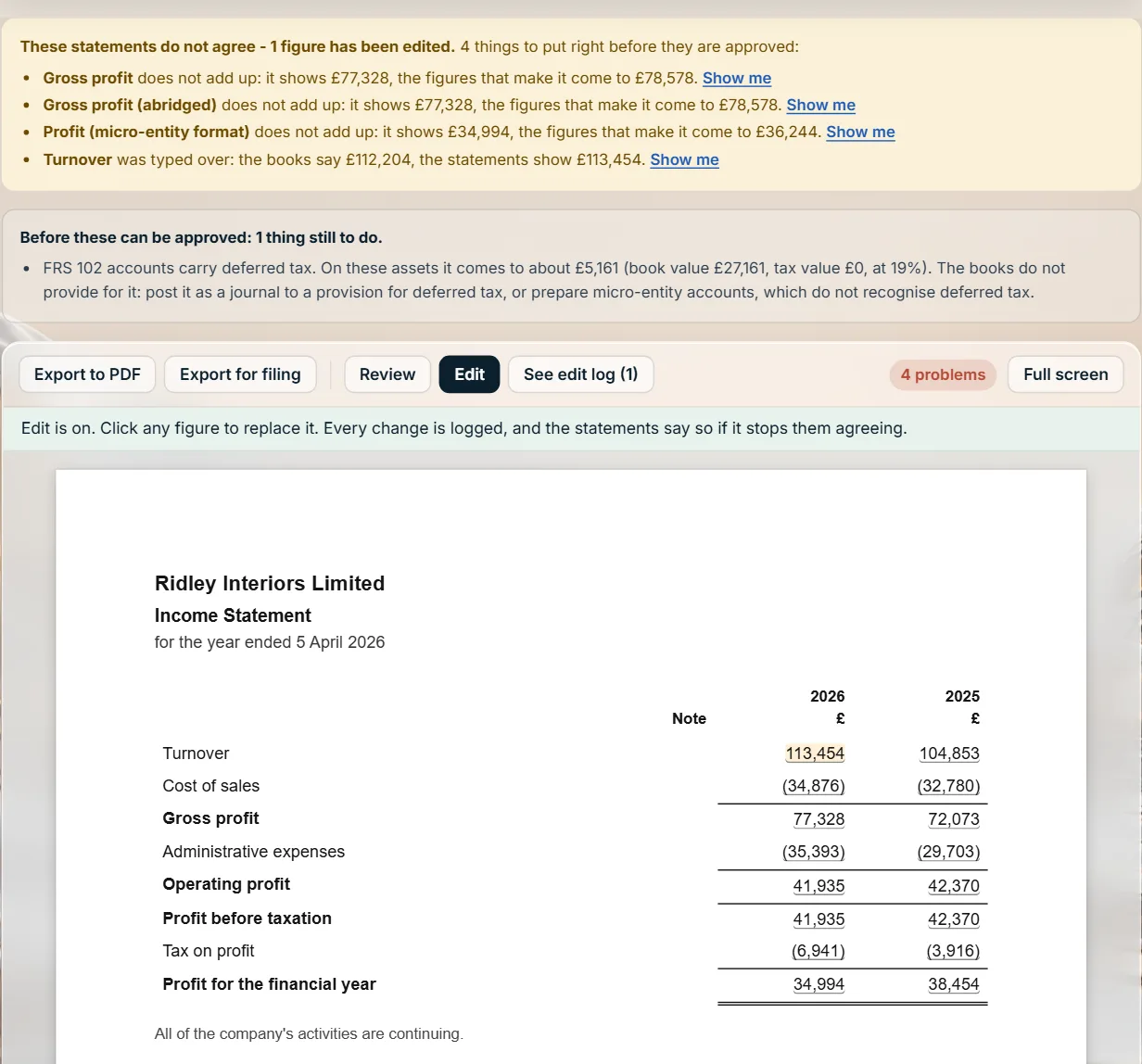
Each total against the lines it adds up from, each note against its statement, both years, and the whole set against the trial balance and the tax screens. When anything disagrees, a notice says which and by how much.
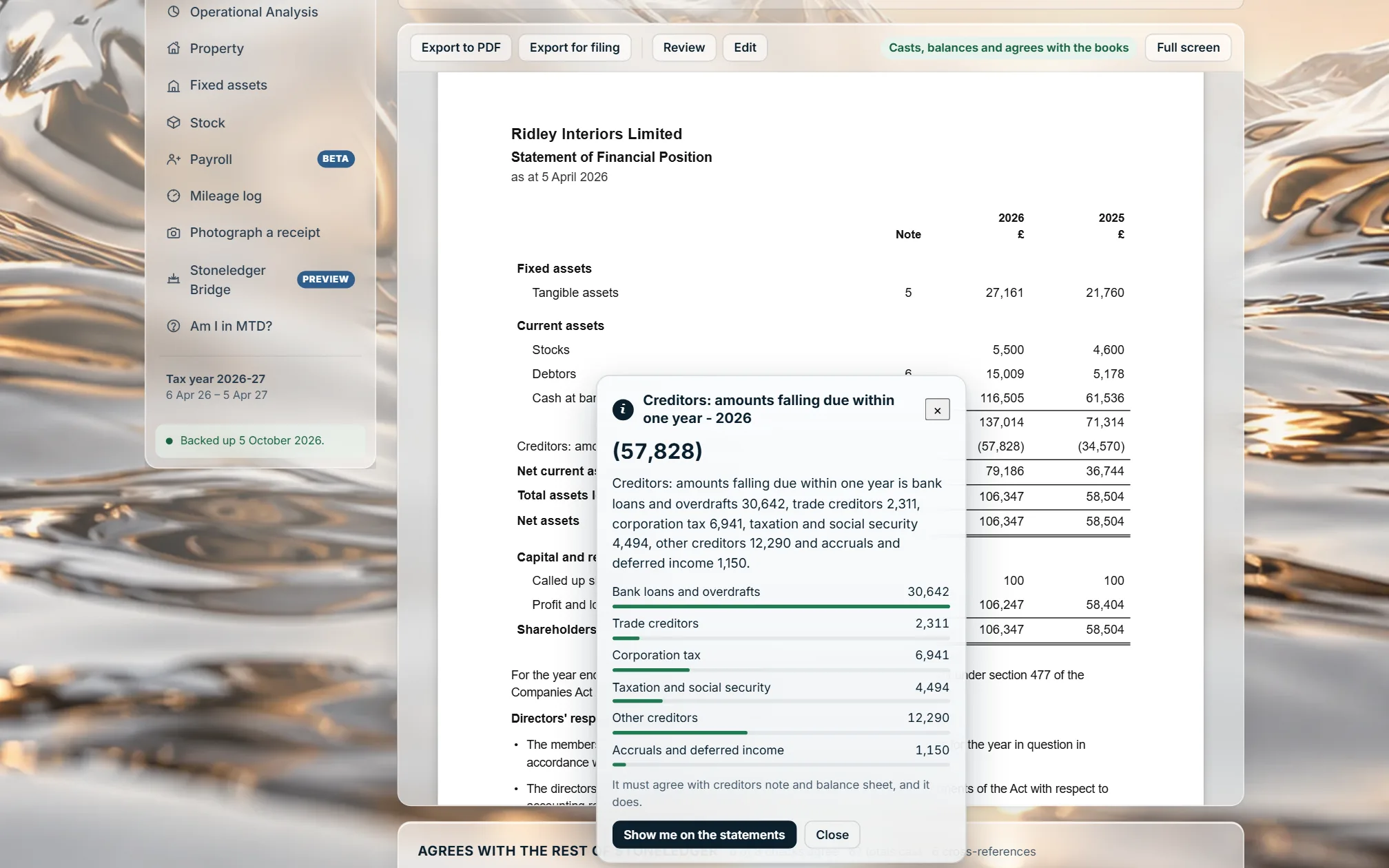
Right-click a figure for Explain this: a total names what it adds up from, a line the accounts behind it, a balance sheet figure the note that makes it up.
The company, its period and its size at the top, then the formats it may use. Export to PDF, Export for filing, Review and Edit sit above the pages.
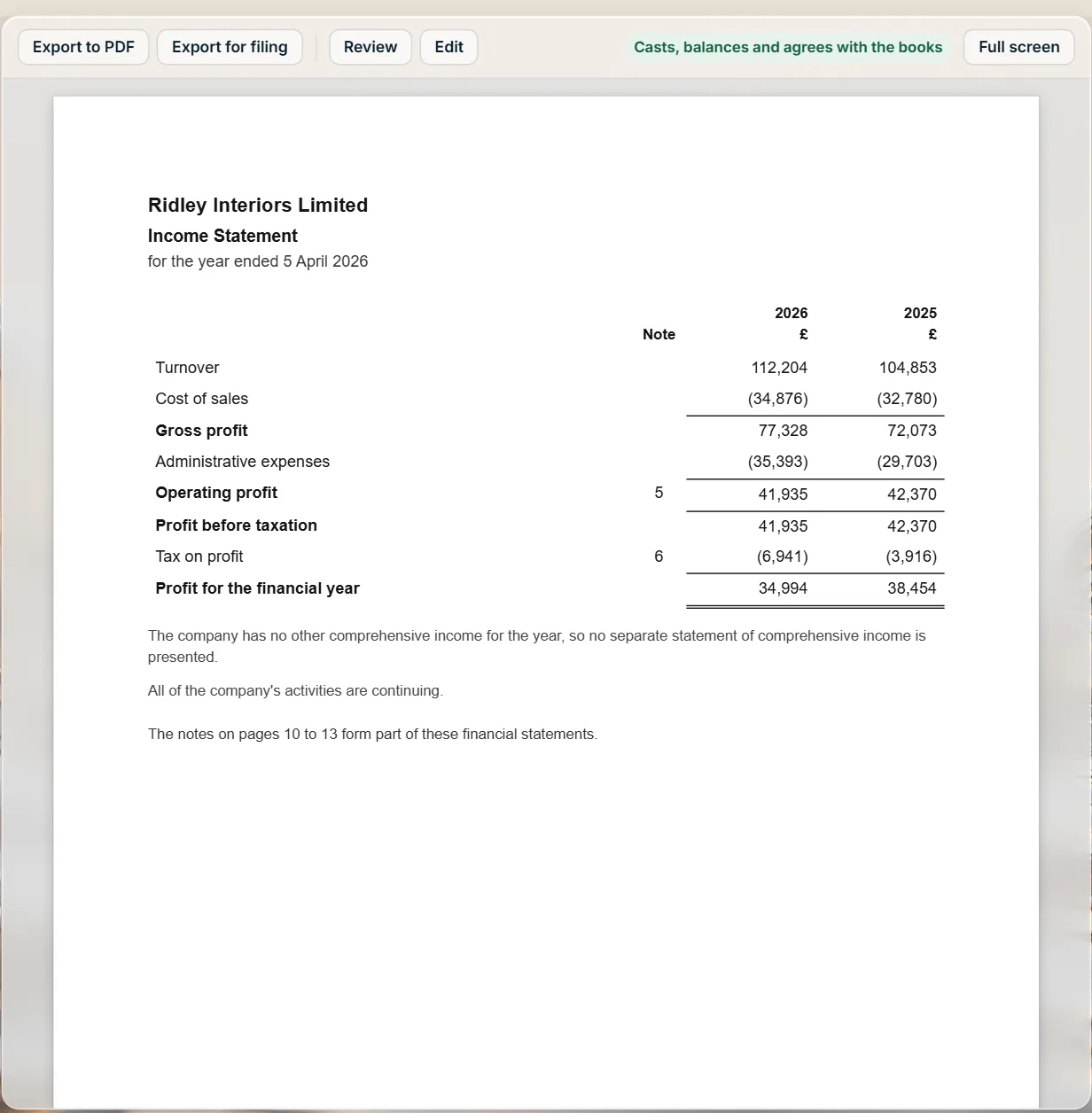
The income statement for the year and the one before, each line built from the accounts the books map to it and rounded once to the pound.
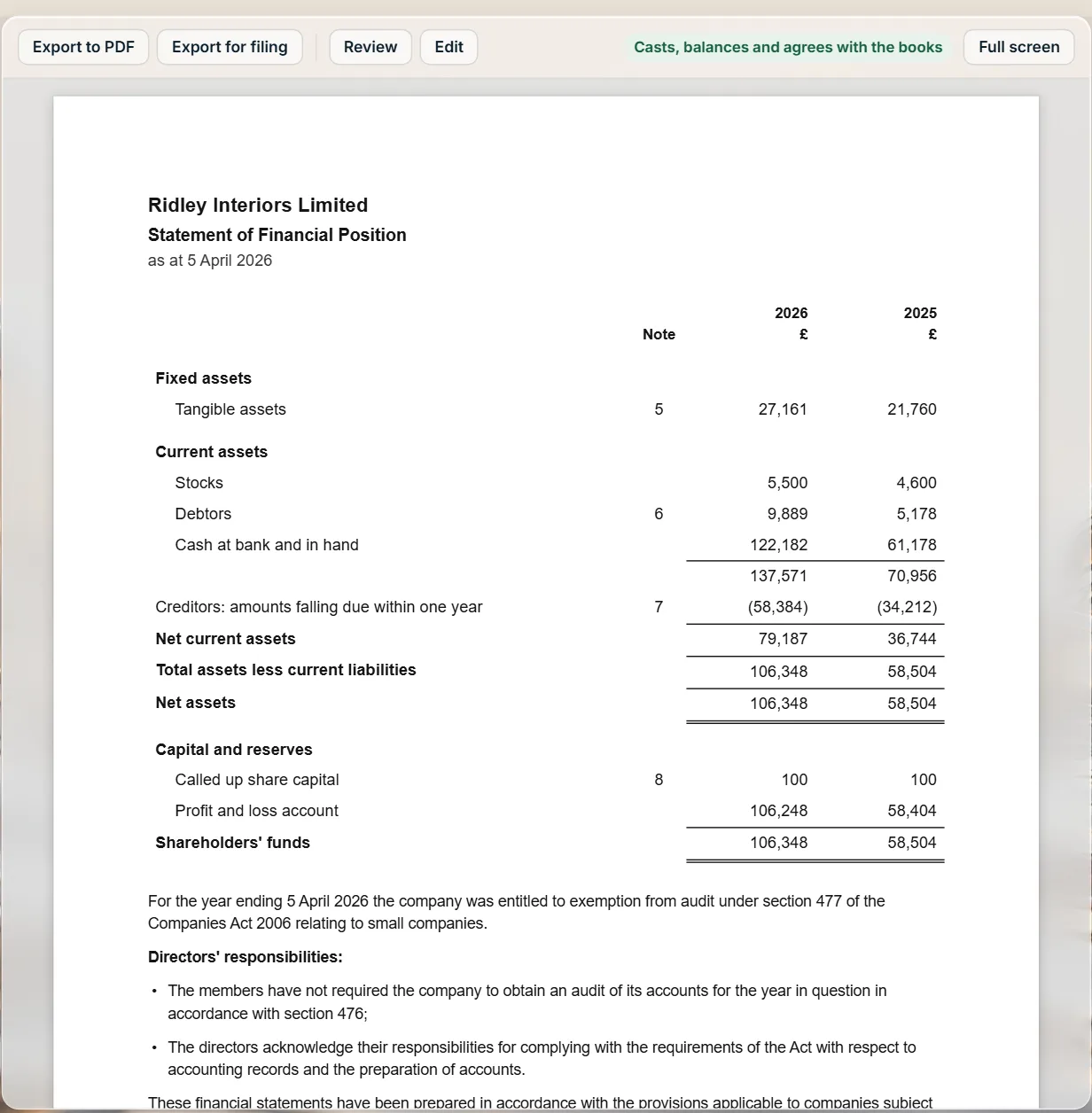
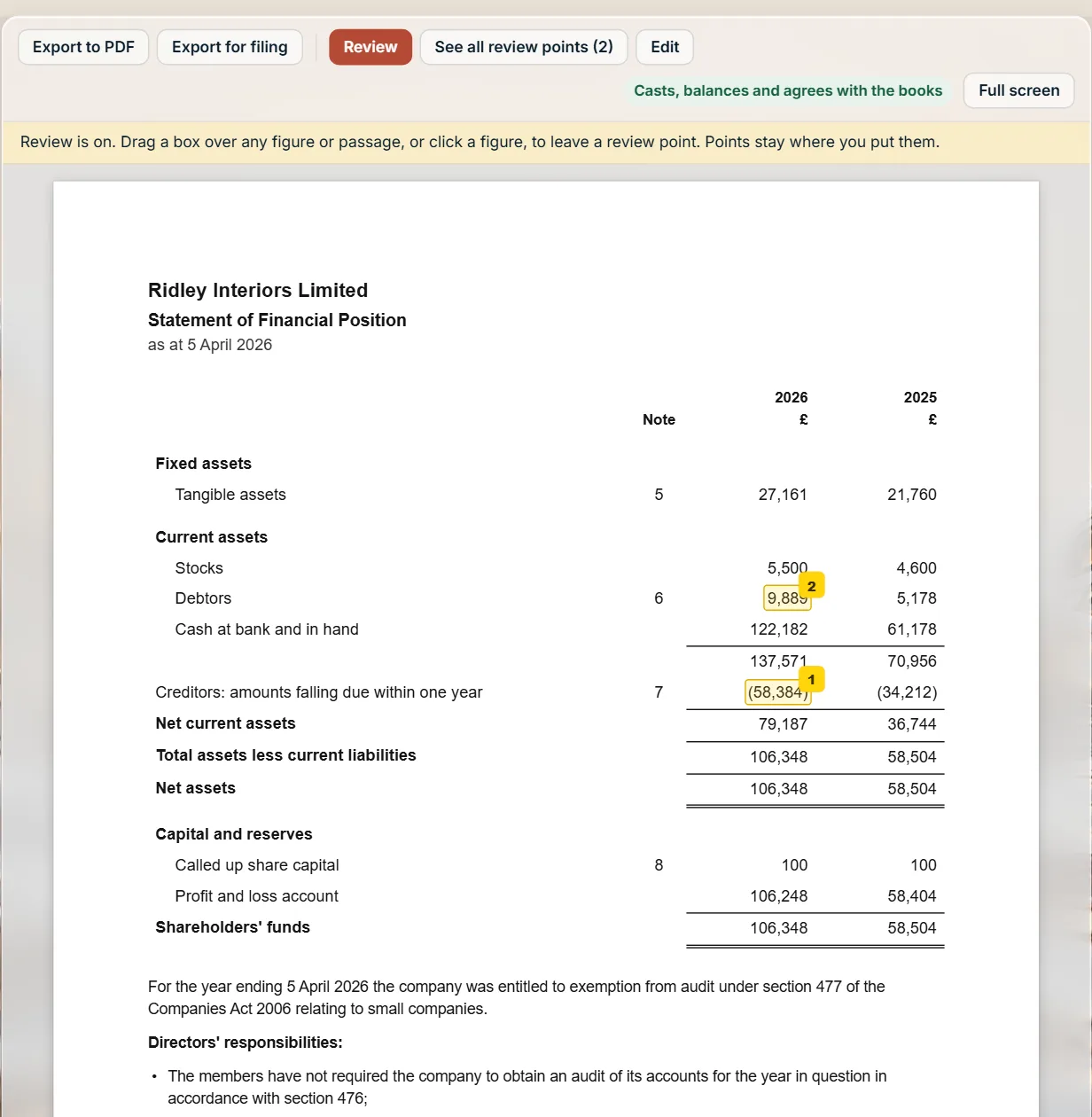
The balance sheet with the statements the Act requires above the signature: the audit exemption, the directors’ responsibilities and the small companies regime.
The notes the format calls for. Fixed assets class by class, debtors and creditors line by line, each agreeing with the balance sheet.
Review on, the button red. Drag a box or click a figure to leave a point, shown as a yellow square pinned to its figure through scrolling, signing out and coming back. See all review points lists them.
Type over a figure and the edit log keeps what it was, what it became and why. The notice stays up for as long as the edit leaves a total that does not cast.
Filing straight from Stoneledger is still to come. Sending the accounts to Companies House needs its software filing credentials, and the CT600 that goes with them to HMRC waits on HMRC recognising Stoneledger. Until then the file is ready for you to send with the software you use now.
Sole traders and Making Tax Digital
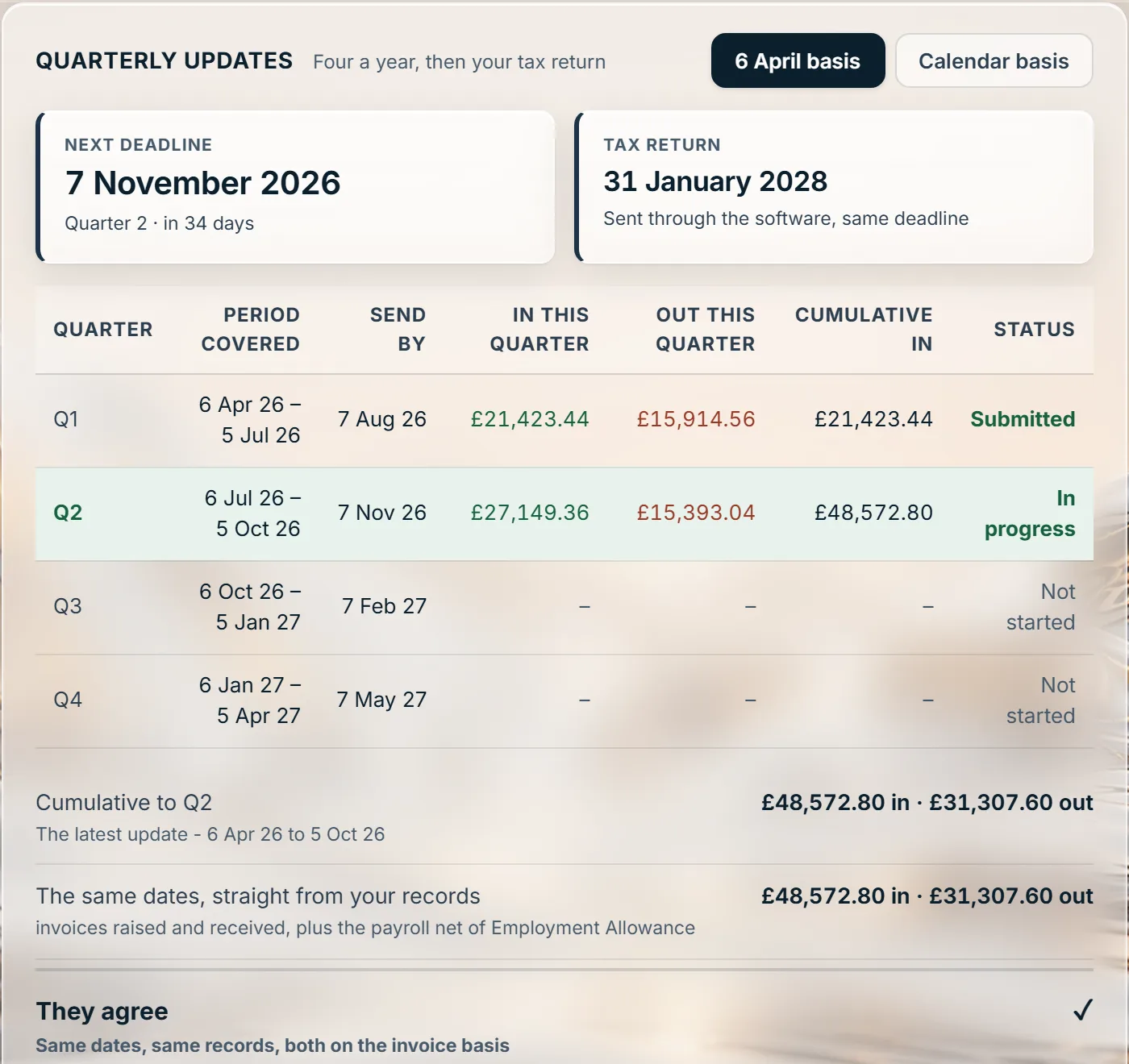
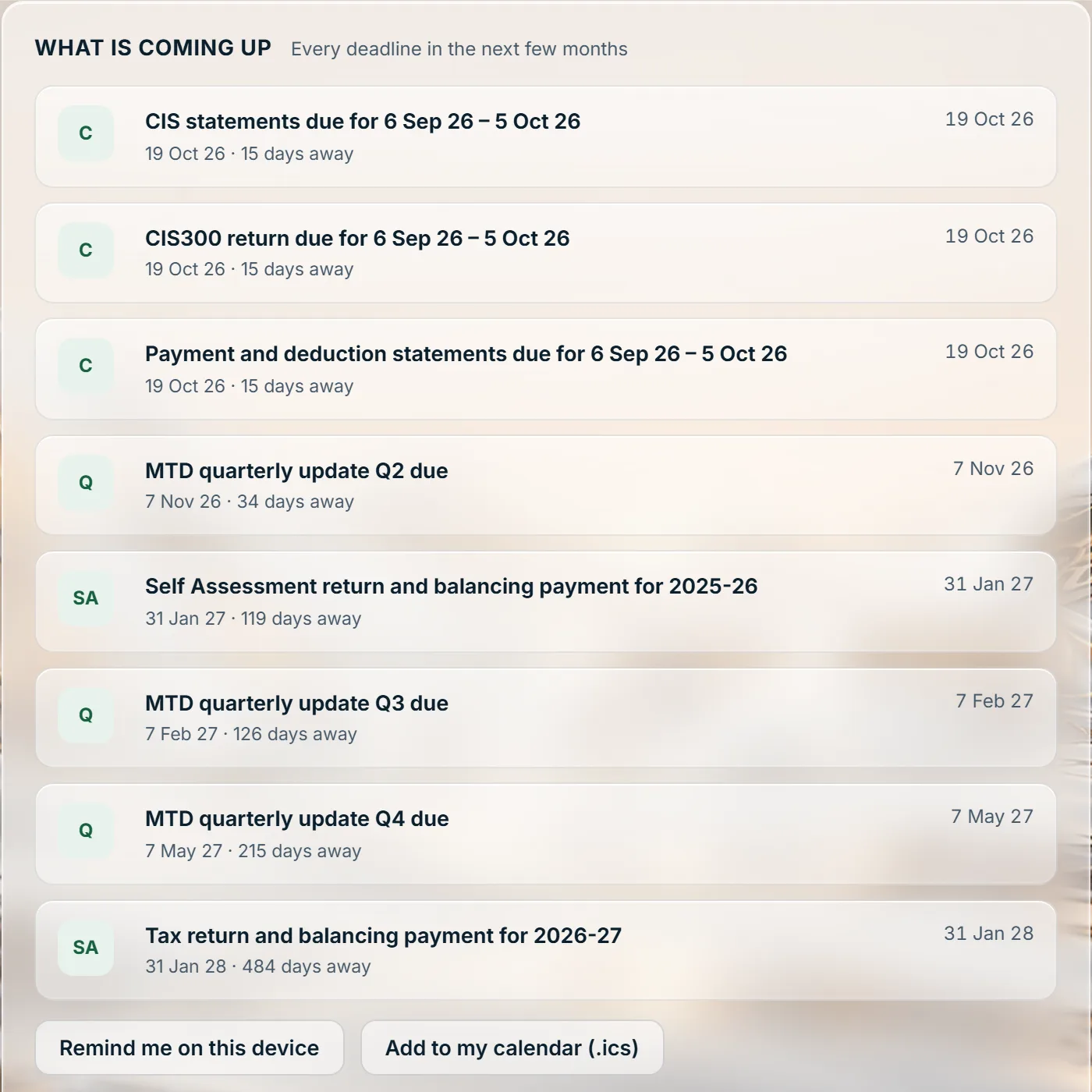
From April 2027 the client with more than £30,000 of self-employment and property income comes into Making Tax Digital (MTD) for Income Tax: an update every quarter, then the tax return at the end of the year. Stoneledger builds each update from what is already recorded, cumulative from 6 April, and shows the tax that follows from it all year rather than in January.
The year still ends with a tax return. Under MTD the client still submits a tax return, through the software, by 31 January. It is not an extra filing.
Your LLP clients
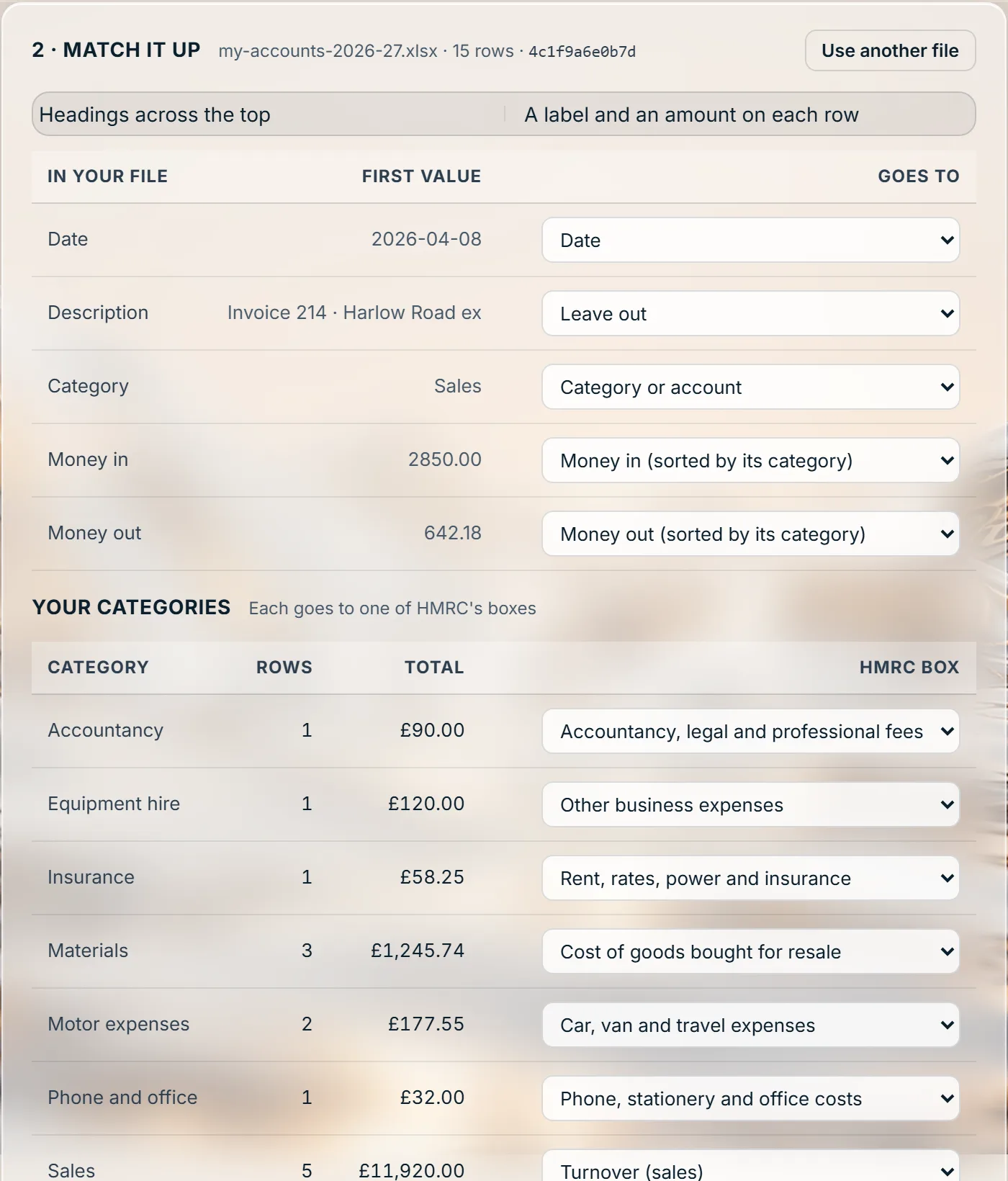
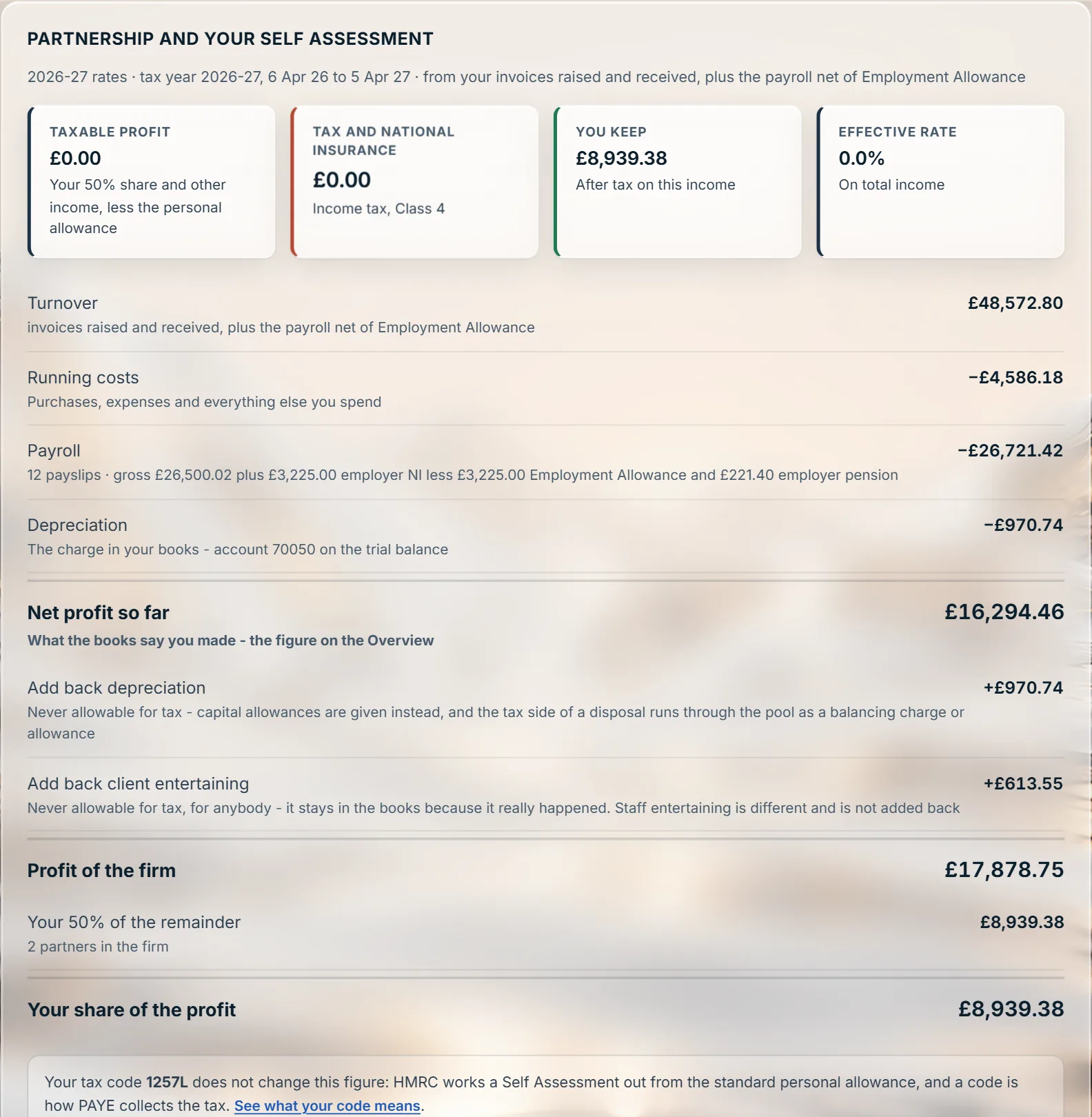
An LLP is two jobs: the members, each taxed on their share of the profit through their own Self Assessment, and the LLP itself, with accounts at Companies House. Stoneledger keeps one set of books for both.
Your company clients
Stoneledger Practice Tools
Where does Xero stop and your spreadsheet start? For most practices it is CIS and Making Tax Digital. Practice Tools does that work beside whichever ledger your clients are on, without moving a single book.
Each contractor’s statement against the payments that arrived, month by month: what agrees, what is short, a deduction taken at the wrong rate, and the statements that never came - chased in a click, with the email written.
Every retention a contractor holds for a client, when it is due back, how long it is overdue, and the CIS that comes off it on release.
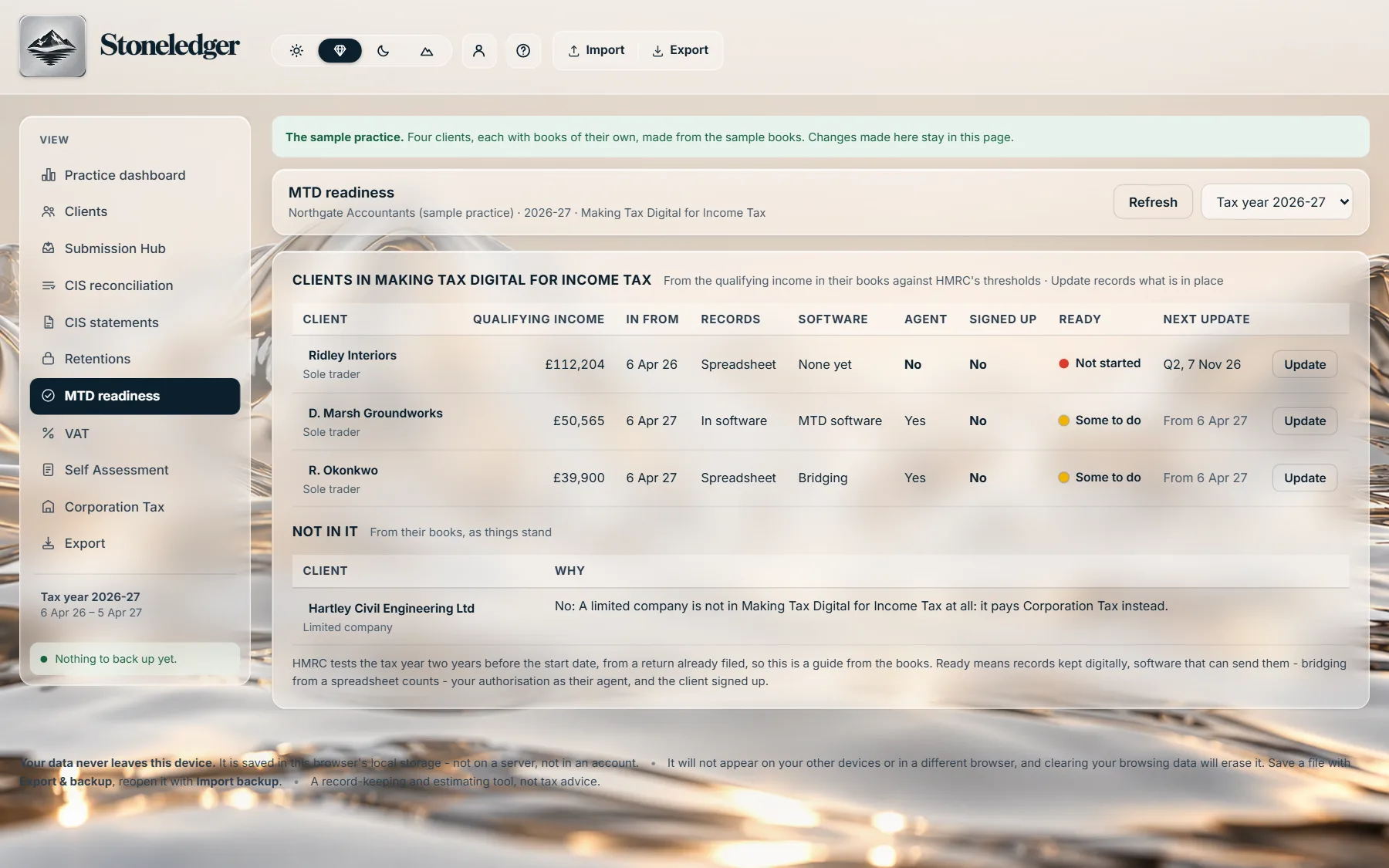
Who is in Making Tax Digital for Income Tax and from when, on HMRC’s thresholds - and what is still to do for each: records, software, your authorisation, sign-up.
Every client at a glance, and their records a click away. A statement logged, a payment recorded or a retention released from the dashboard is saved in that client’s own records - and every list comes out as a spreadsheet whenever you like.
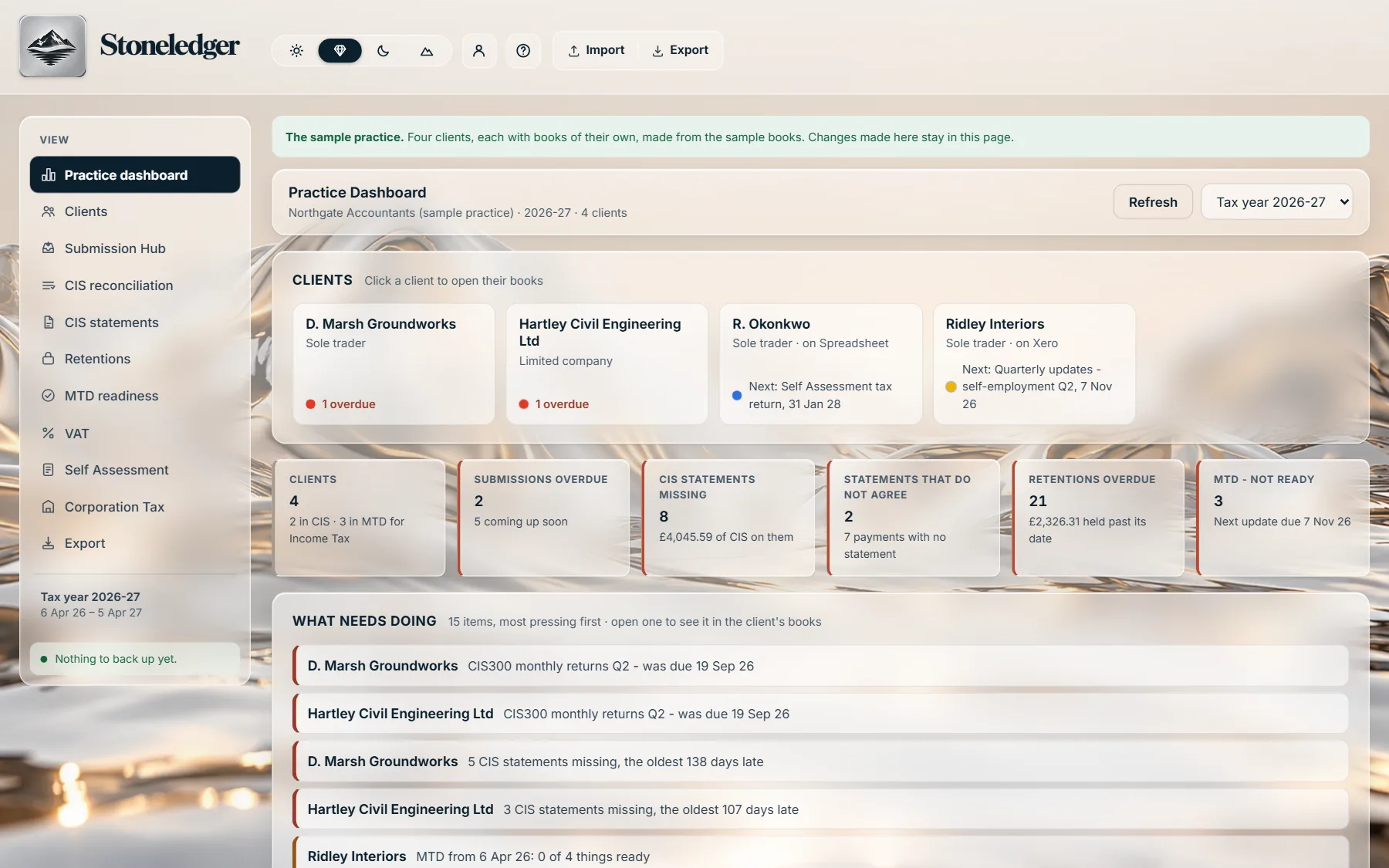
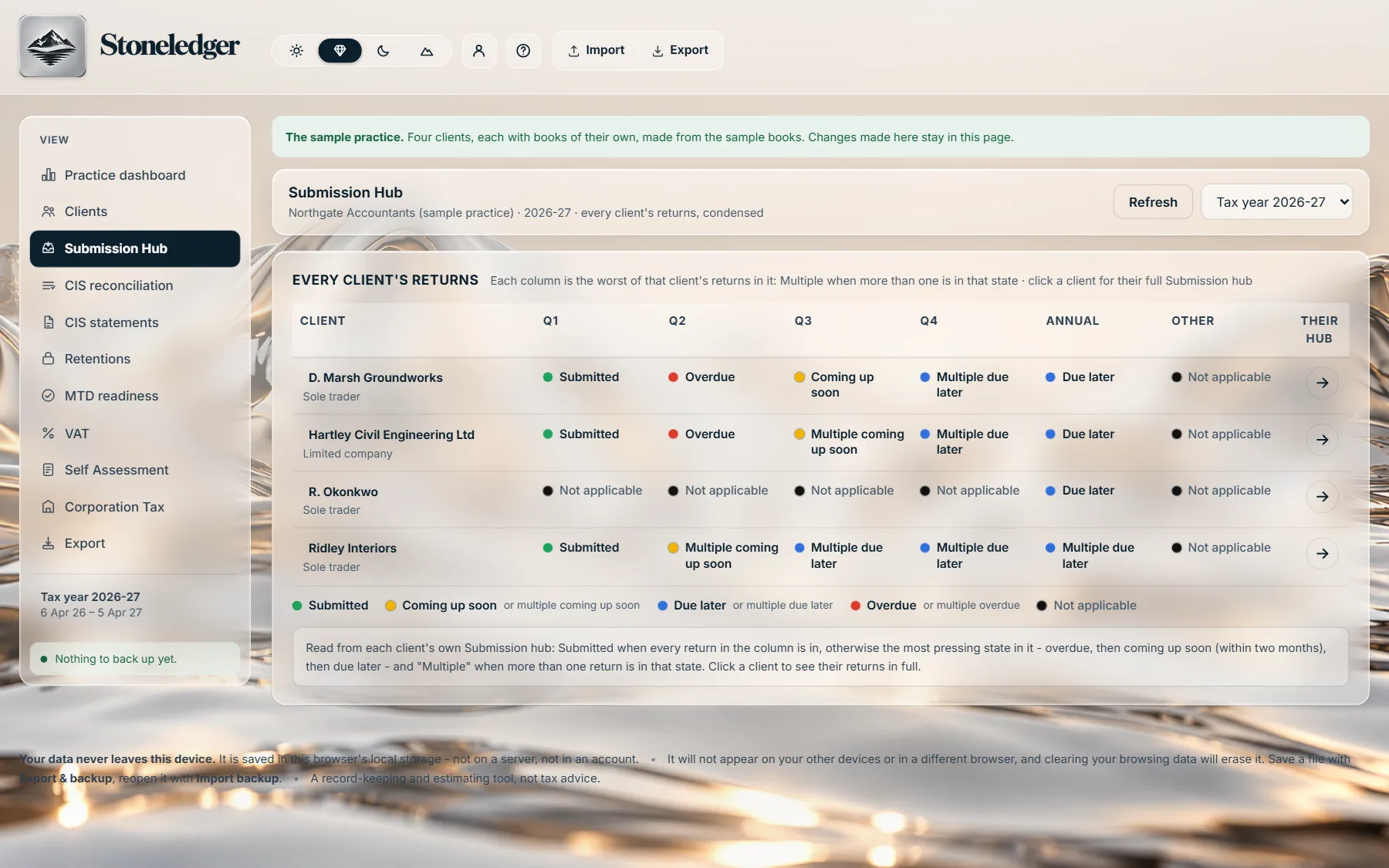
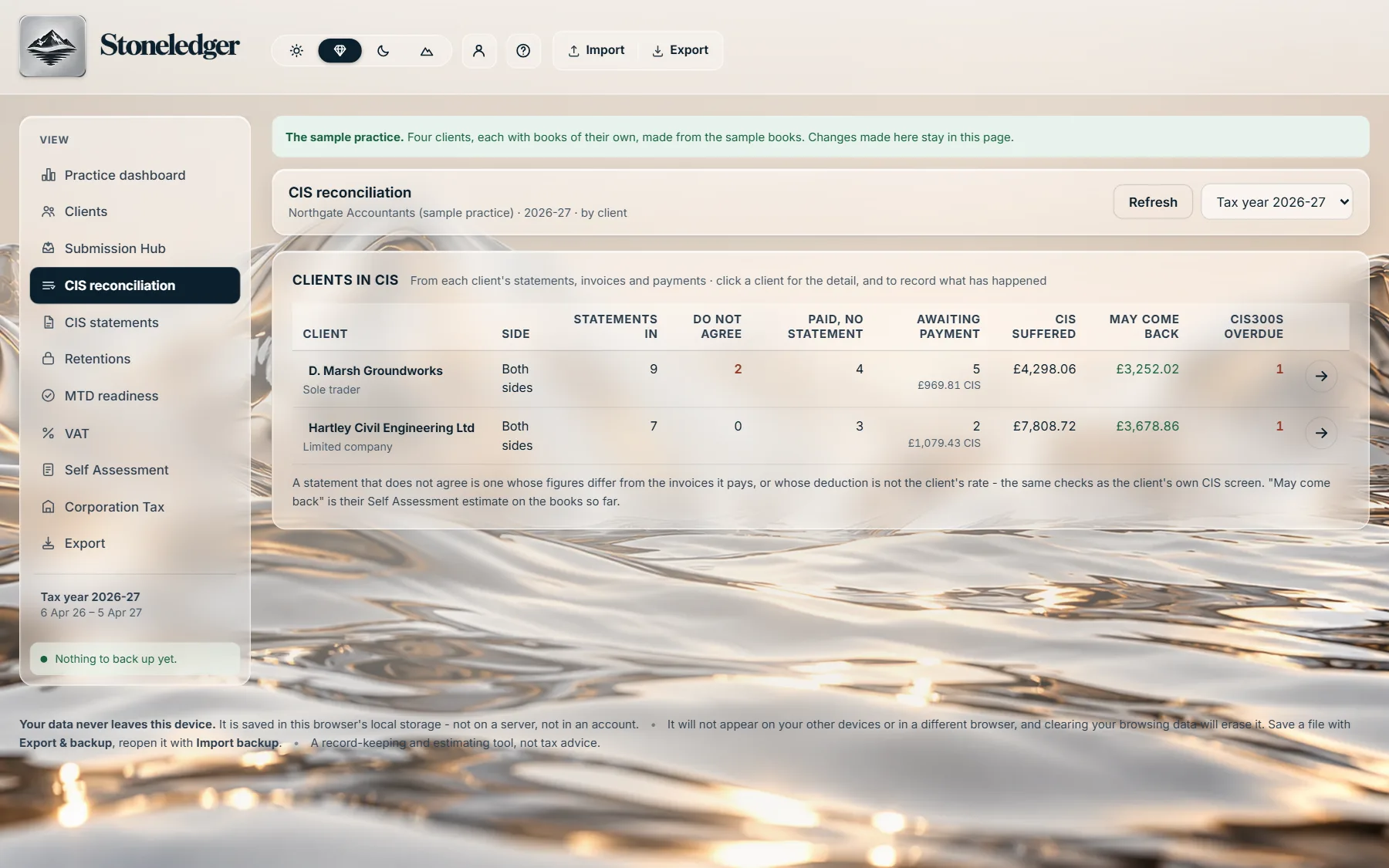
The free CIS refund checker and MTD checker on this site can go on your practice’s own website, in your name and colour, with the enquiries they bring coming to you. See the CIS refund checker.
Your landlord clients
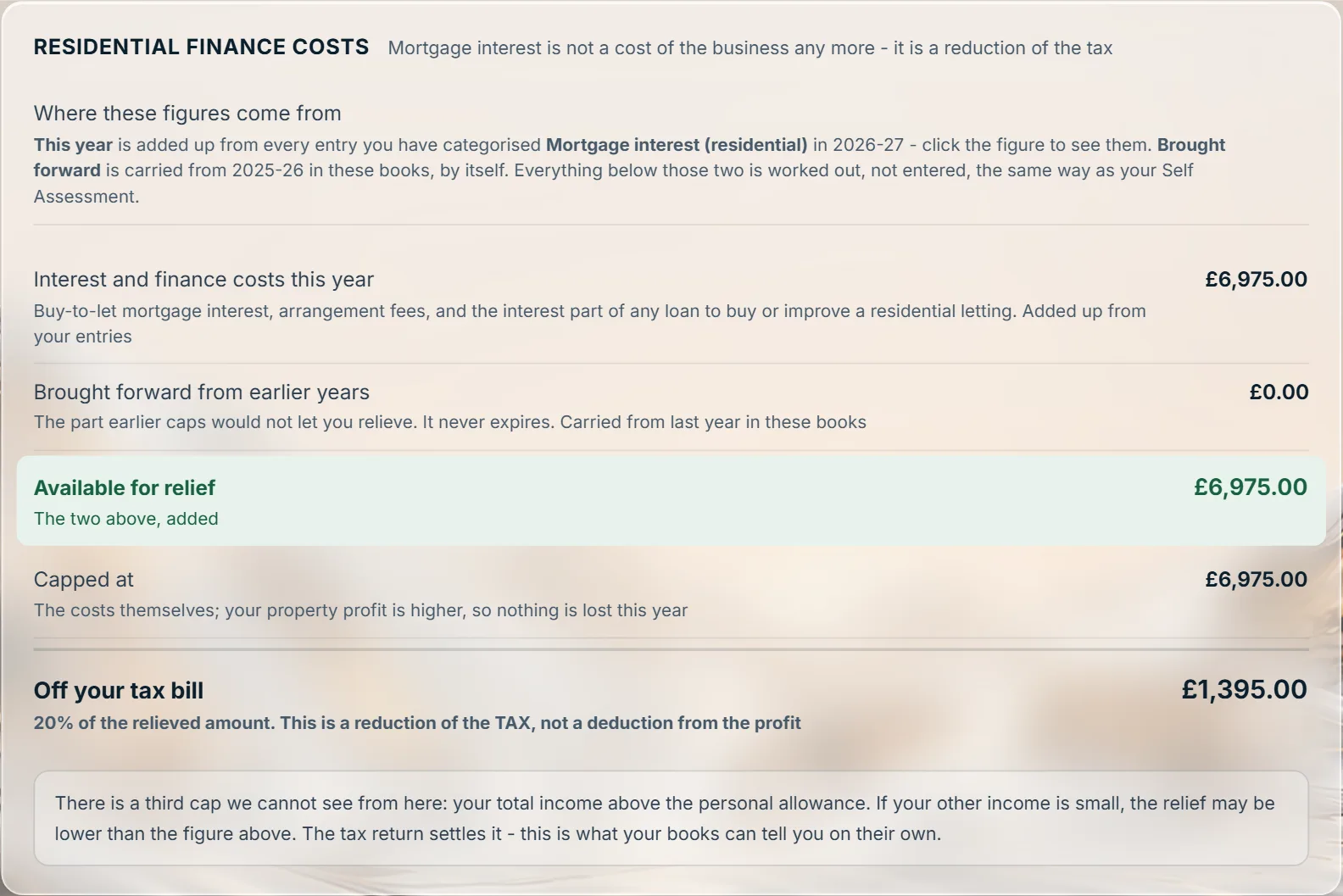
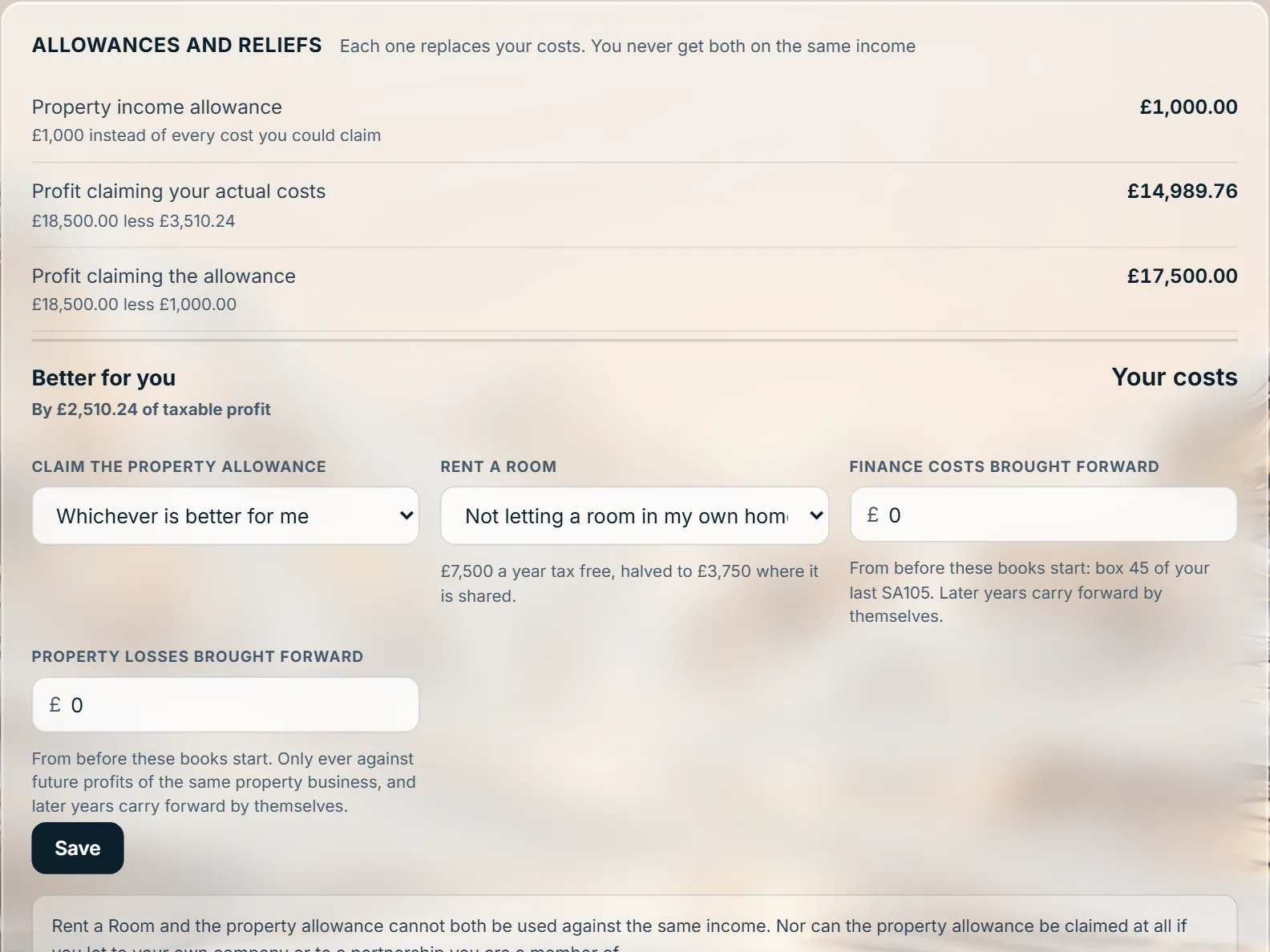
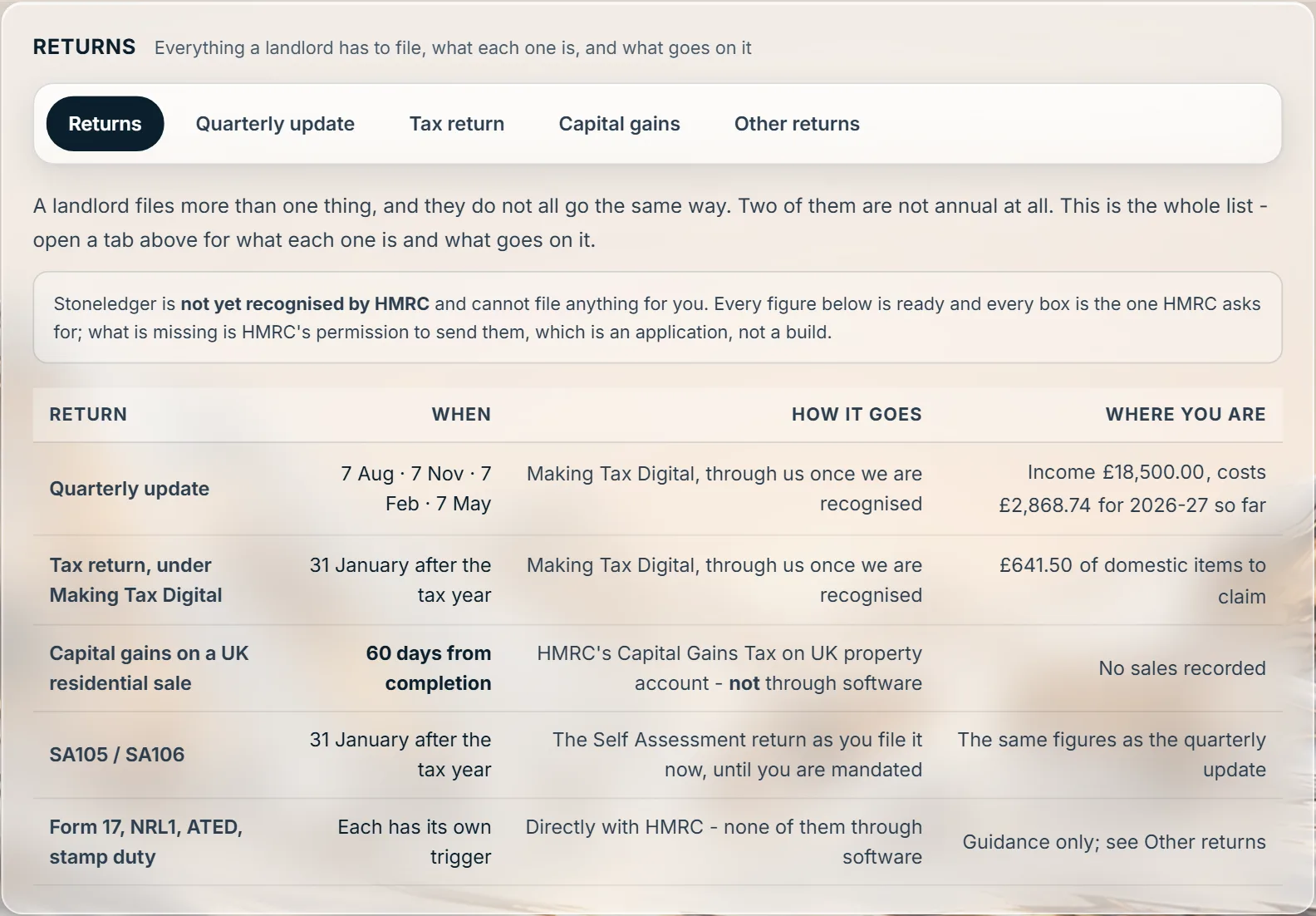
Rent kept out of trading turnover and carrying no Class 4. Residential finance costs worked as the 20% tax reduction they are, with the caps and the carry-forward shown. Joint ownership split by share. And for a company that lets property, the rent goes into its Corporation Tax on the company rules.
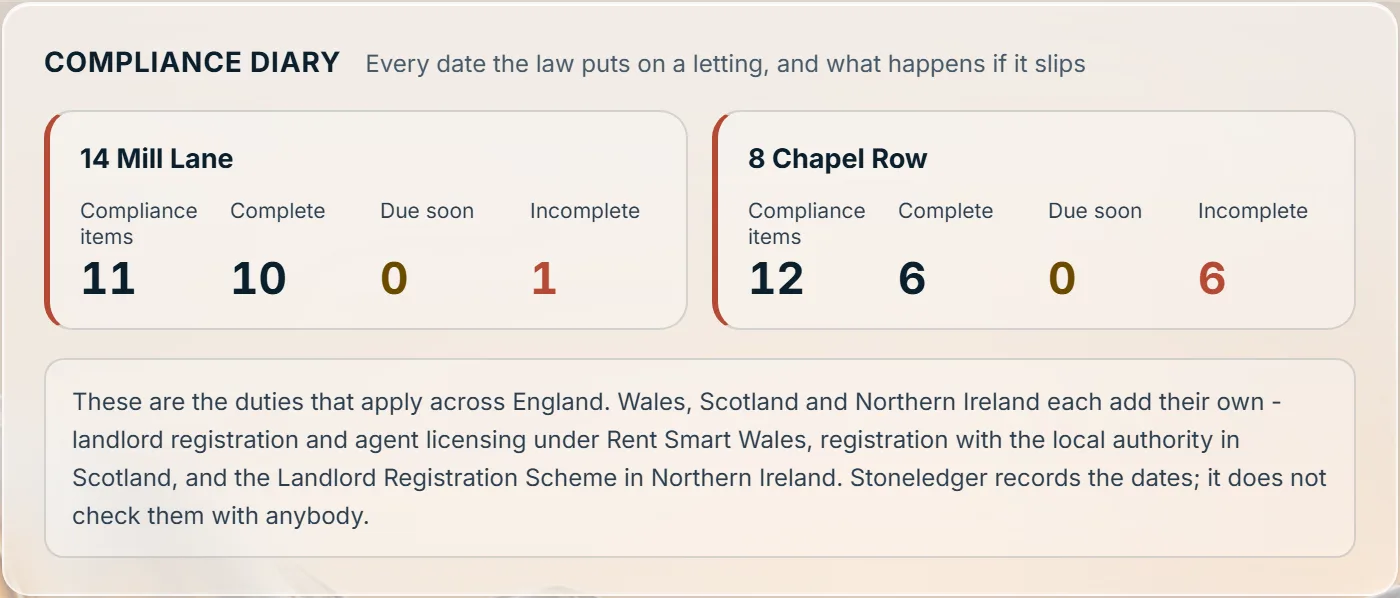
Underneath all of it
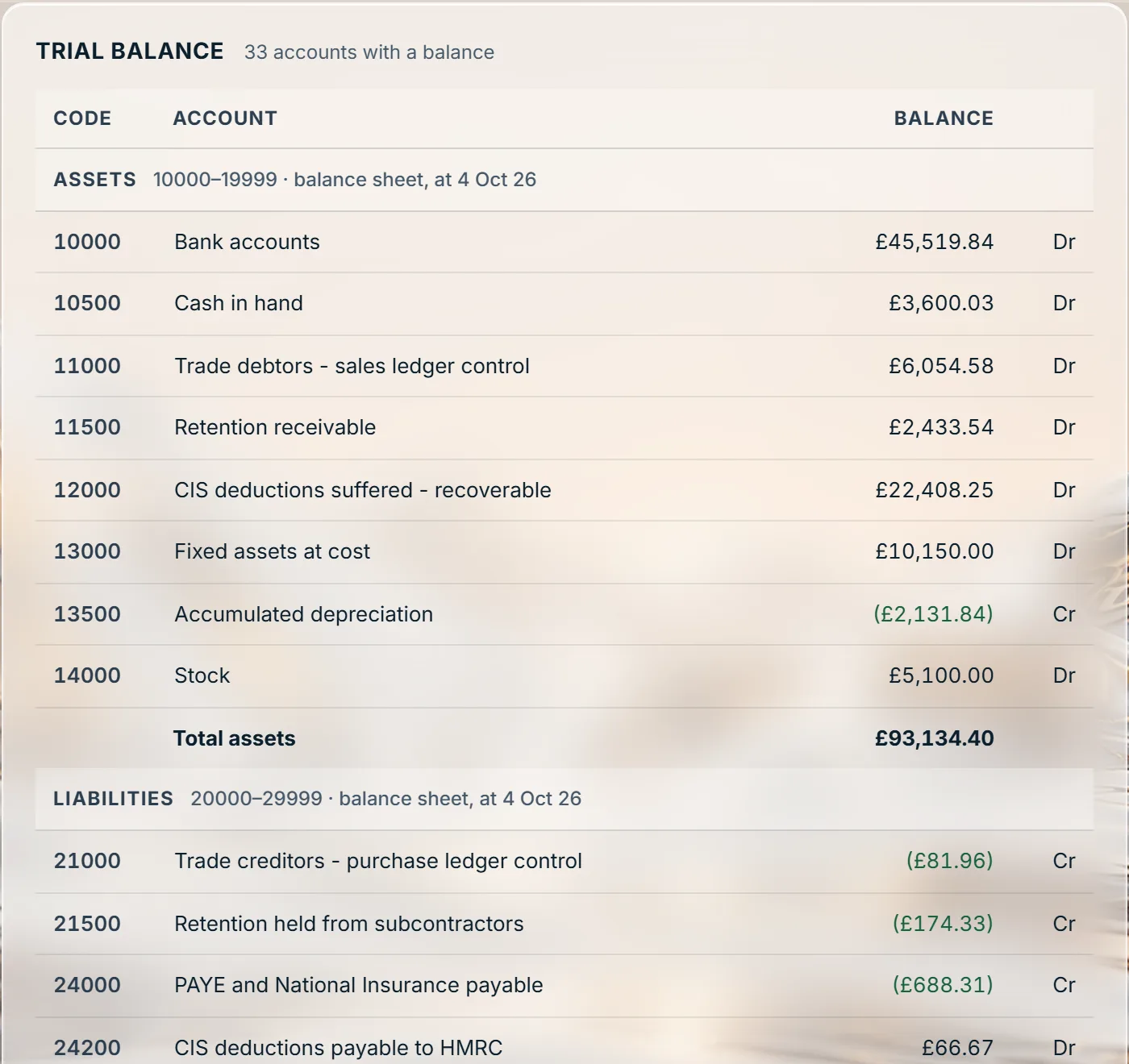
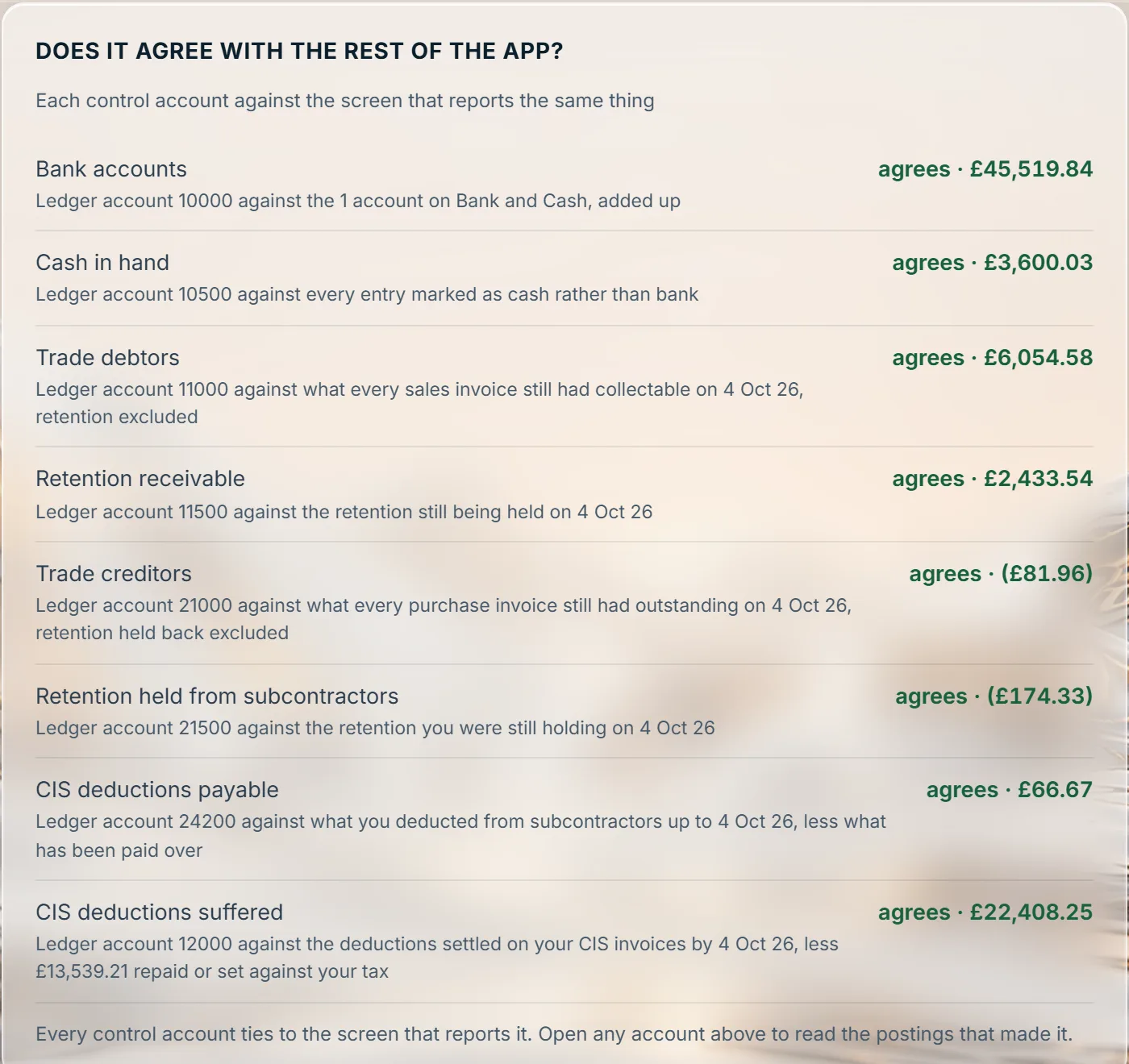
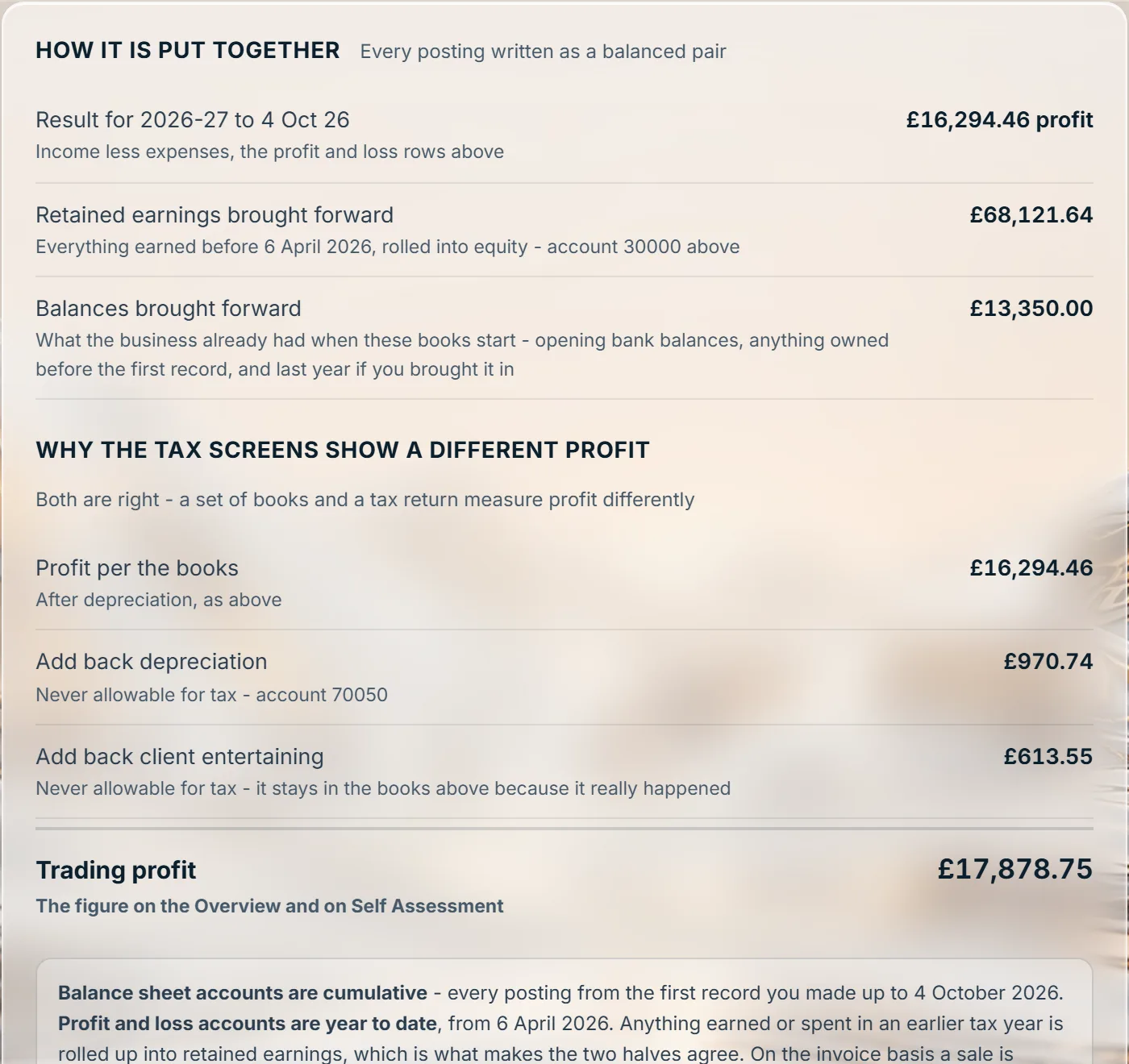
Every posting is a balanced pair. The trial balance is generated from them and checked against every screen that reports a control account. When the profit on the tax screens differs from the accounts, a bridge says why, line by line.
Walkthroughs
What happens, in order, on four of the jobs that take a practice the most time. Every walkthrough, screen by screen, is on its own page; book a demo and we will run any of them on a sample book of the same kind as your client.
Your practice
A password and an authenticator code at every sign-in. Nobody reaches a client’s books without being invited to them.
Each business’s books are kept apart in the database itself, not only by the screens in front of it.
Sign in and the Practice Dashboard opens: every client you look after, and where each one stands. Switch between their books from the top of the screen.
The books are saved to the server on every change, with earlier versions kept. A client’s data leaves whenever they want, as a spreadsheet of everything.
These are in development and not in the product yet. We will not describe them as ready until they are.
Pricing for practices
Every client business gets the full product: both sides of CIS, VAT on all three schemes, Self Assessment and Corporation Tax, property, payroll and journals. No setup fee, no charge per member of staff, and no long contract.
| Active clients | Per client, per month |
|---|---|
| 1 to 9 | £5.00 |
| 10 to 24 | £4.50 |
| 25 to 49 | £4.00 |
| 50 to 99 | £3.25 |
| 100 to 249 | £2.50 |
| 250 or more | £2.25 |
The band applies to every client in the practice. Forty active clients is 40 × £4.00 = £160 a month, not a blend of bands.
Active means live. A live client business, not archived. A demo, a test business or a prospect is never billed, and a dormant client is billed whether or not anything was posted that month.
Prices are before VAT.
A private demo first, on a sample book like your clients’, not a sign-up form.
Each band at a practice of that size, per client and for the month. The competitors are on the plan a client with an accountant needs, and at the best discount each one publishes for accountants.
| Active clients | Stoneledger | QuickBooks Essentials £38, 50% off | Xero Grow £39, 20% off | Sage Standard £43, 25% off | A year saved against the cheapest |
|---|---|---|---|---|---|
| 1 to 9 at 9 clients | £5.00 £45.00 a month | £19.00 £171.00 | £31.20 £280.80 | £32.25 £290.25 | £1,512 |
| 10 to 24 at 24 clients | £4.50 £108.00 a month | £19.00 £456.00 | £31.20 £748.80 | £32.25 £774.00 | £4,176 |
| 25 to 49 at 49 clients | £4.00 £196.00 a month | £19.00 £931.00 | £31.20 £1,528.80 | £32.25 £1,580.25 | £8,820 |
| 50 to 99 at 99 clients | £3.25 £321.75 a month | £19.00 £1,881.00 | £31.20 £3,088.80 | £32.25 £3,192.75 | £18,711 |
| 100 to 249 at 249 clients | £2.50 £622.50 a month | £19.00 £4,731.00 | £31.20 £7,768.80 | £32.25 £8,030.25 | £49,302 |
| 250 or more at 300 clients | £2.25 £675.00 a month | £19.00 £5,700.00 | £31.20 £9,360.00 | £32.25 £9,675.00 | £60,300 |
Why these plans, and not the cheapest ones. A client with an accountant records purchase bills and raises more than a handful of invoices a month. Xero Ignite stops at 20 invoices and 10 bills a month; QuickBooks Simple Start has no bills and one user; Sage Start has no bills and no CIS. So the comparison is Grow, Essentials and Standard, the first plan each sells that does the job.
Every competitor at its best. QuickBooks takes 50% off, ongoing, when the firm pays for the client. Sage's discount grows with the practice's client subscriptions, up to 25%. Xero does not publish its partner discounts; 20% is what a Xero Silver Partner passes on, and a higher partner status may earn more (at 30%, Grow is still £27.30). Each is shown at that rate in every band, even where a small practice would get less.
And what costs extra there is in Stoneledger's price. Contractor CIS returns are £5 a client a month more on Xero. Payroll is a separate QuickBooks subscription, and Xero and Sage charge for each person beyond those included. QuickBooks' practice suite, Accelerate, is £69 a month from 20 January 2027 (its Core tier is free). Stoneledger has no practice fee, and both sides of CIS and payroll are in the one price.
Per client per month, before VAT. List prices and discounts as each company publishes them, checked on 22 September 2026; introductory offers ignored. The year saved is against QuickBooks, the cheapest of the three here.
| Software | The plan they would need | A month | A year |
|---|---|---|---|
| Stoneledger | Everything, one plan | £8 | £50 on the yearly plan |
| QuickBooks | Simple Start - its first plan with VAT | £16 | £192 |
| Xero | Ignite - VAT and CIS, and £5 a month more to file contractor CIS returns | £18 | £216 |
| Sage | Accounting Standard - its first plan with CIS | £43 | £516 |
List prices before VAT as each company publishes them, checked on 21 September 2026, ignoring introductory discounts. CIS and payroll can cost extra on top elsewhere: Xero charges £5 a month more to file contractor CIS returns, Sage moves you up a plan for CIS, QuickBooks sells payroll as a separate subscription, and Xero and Sage charge for each person on payroll beyond those included. With Stoneledger, VAT, CIS and payroll are all in the one price.
Straight answers
Where Stoneledger is heading next, and what your clients can do in the meantime.
Stoneledger is software, not advice: it works out the figures, and the judgement stays with you.